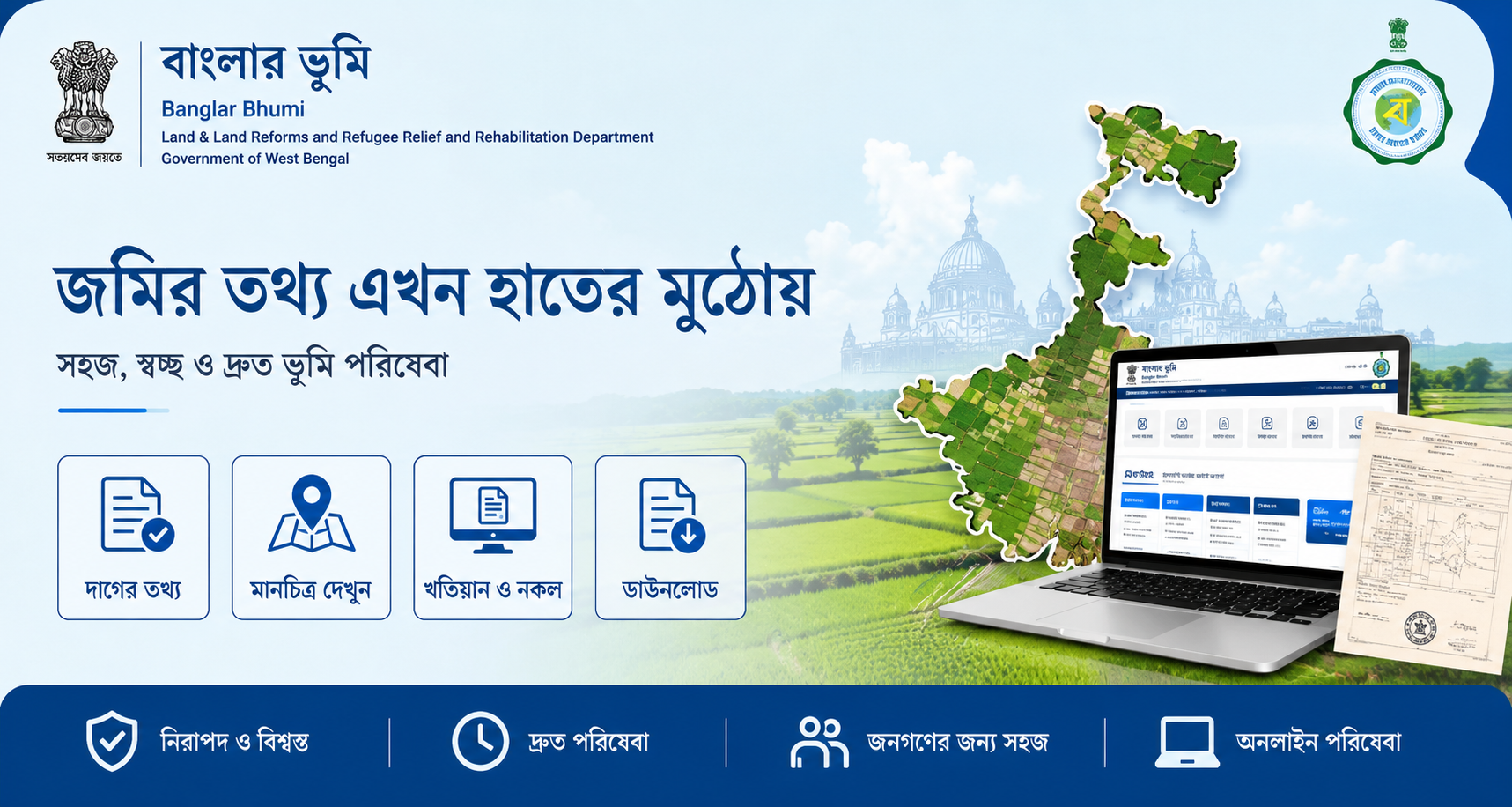
Banglarbhumi 2026: Complete Guide to West Bengal Land Records, Khatian, Plot Information & Mutation Online
Checking land records used to mean long queues at the local Bhumi office, paperwork, and multiple visits just to confirm who owns a piece of land. The West Bengal government changed that with Banglarbhumi, the state's official land records portal.
Through the portal, citizens can check Khatian details, plot information, mutation status, Mouza maps, RoR/e-Porcha and Khajna payment online from home.
This guide explains everything about Banglarbhumi in 2026 — registration, login, mutation application, land record search and common portal issues.
Khatian Search
Check ownership and land records online.
Plot Information
View plot maps and land details digitally.
Mutation Status
Apply and track mutation requests online.
Khajna Payment
Pay land revenue without visiting offices.
Banglarbhumi Registration: Step-by-Step
Follow these simple steps to create your Banglarbhumi account and access online land record services.
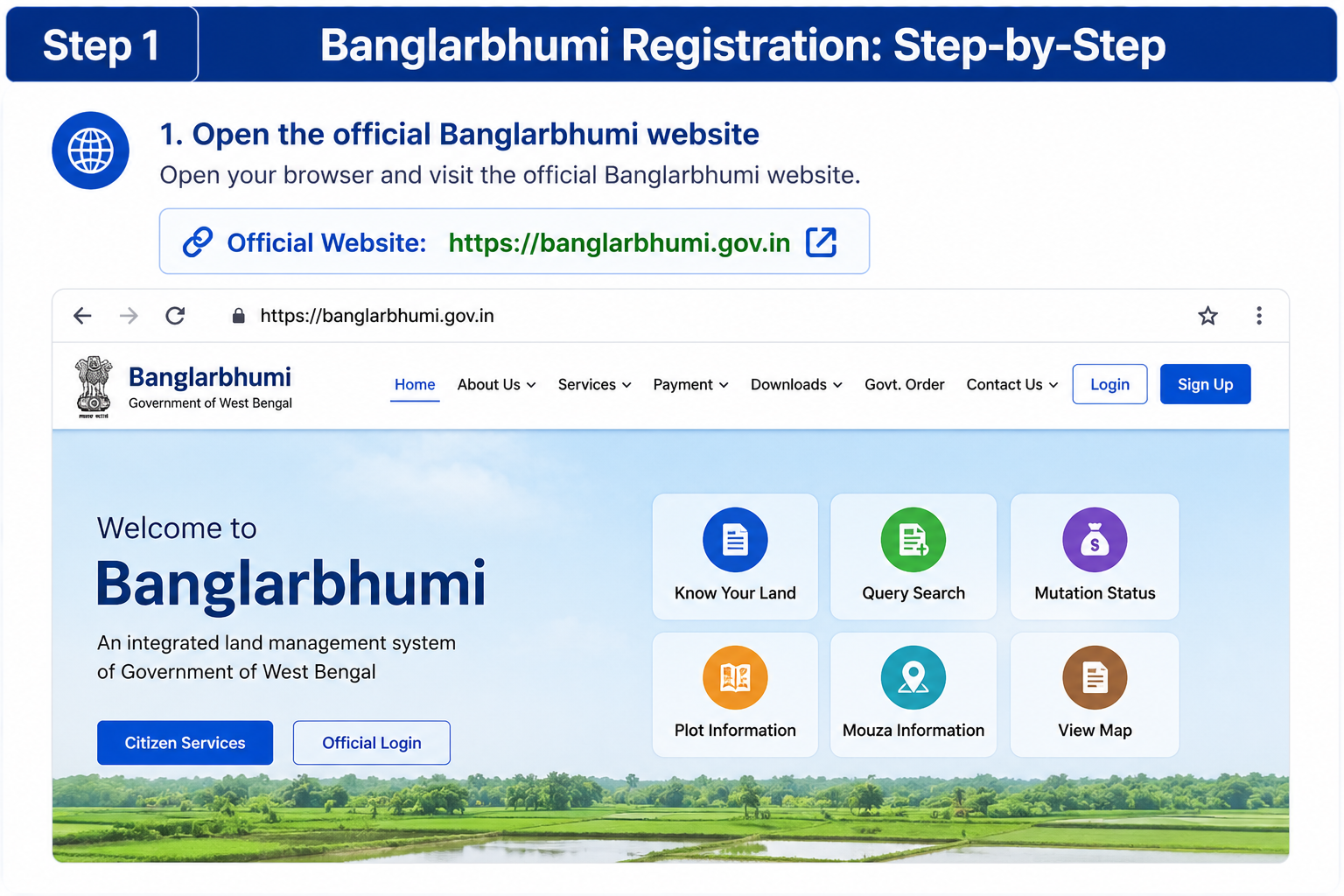
Open the Official Banglarbhumi Website
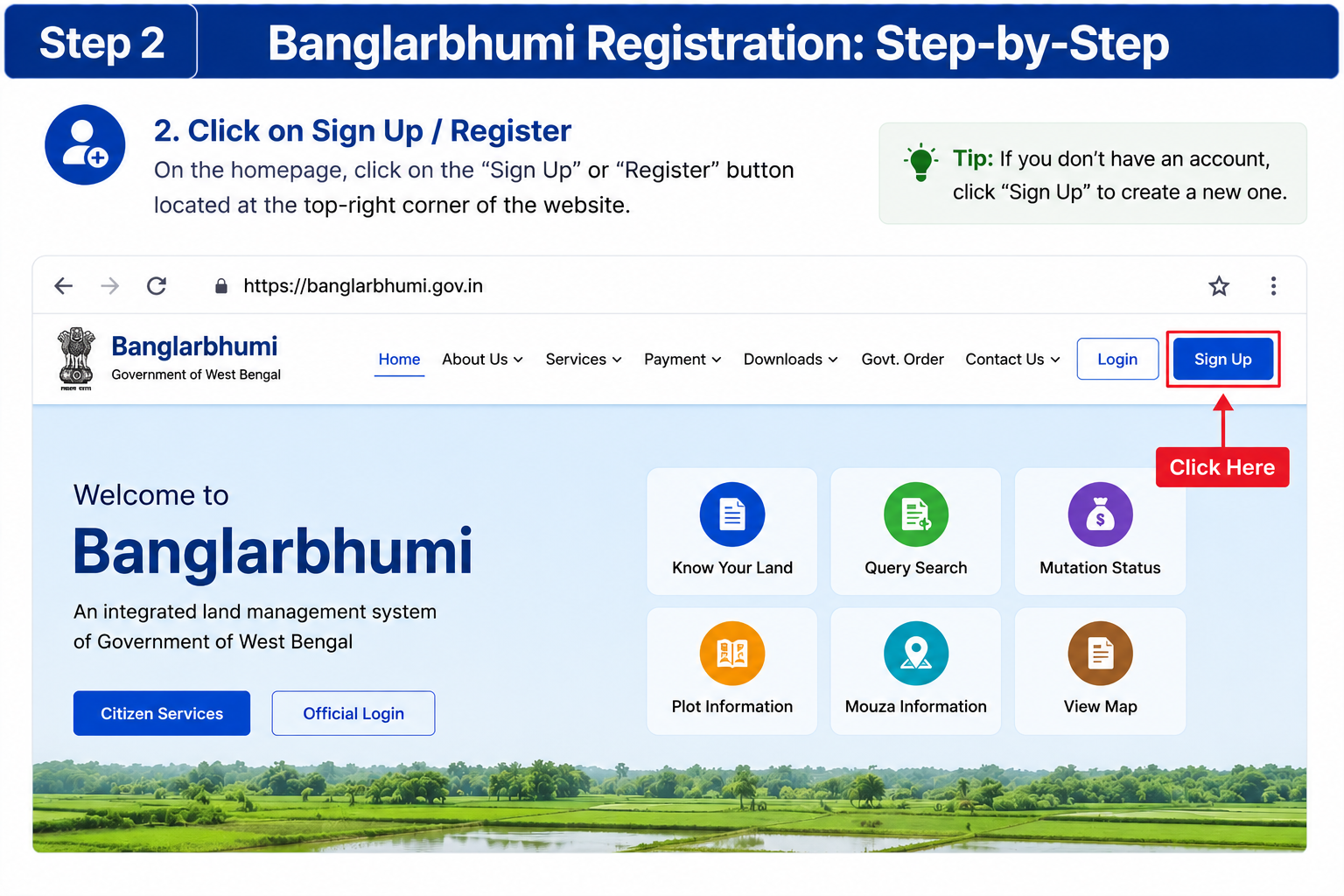
Click on Sign Up / Register
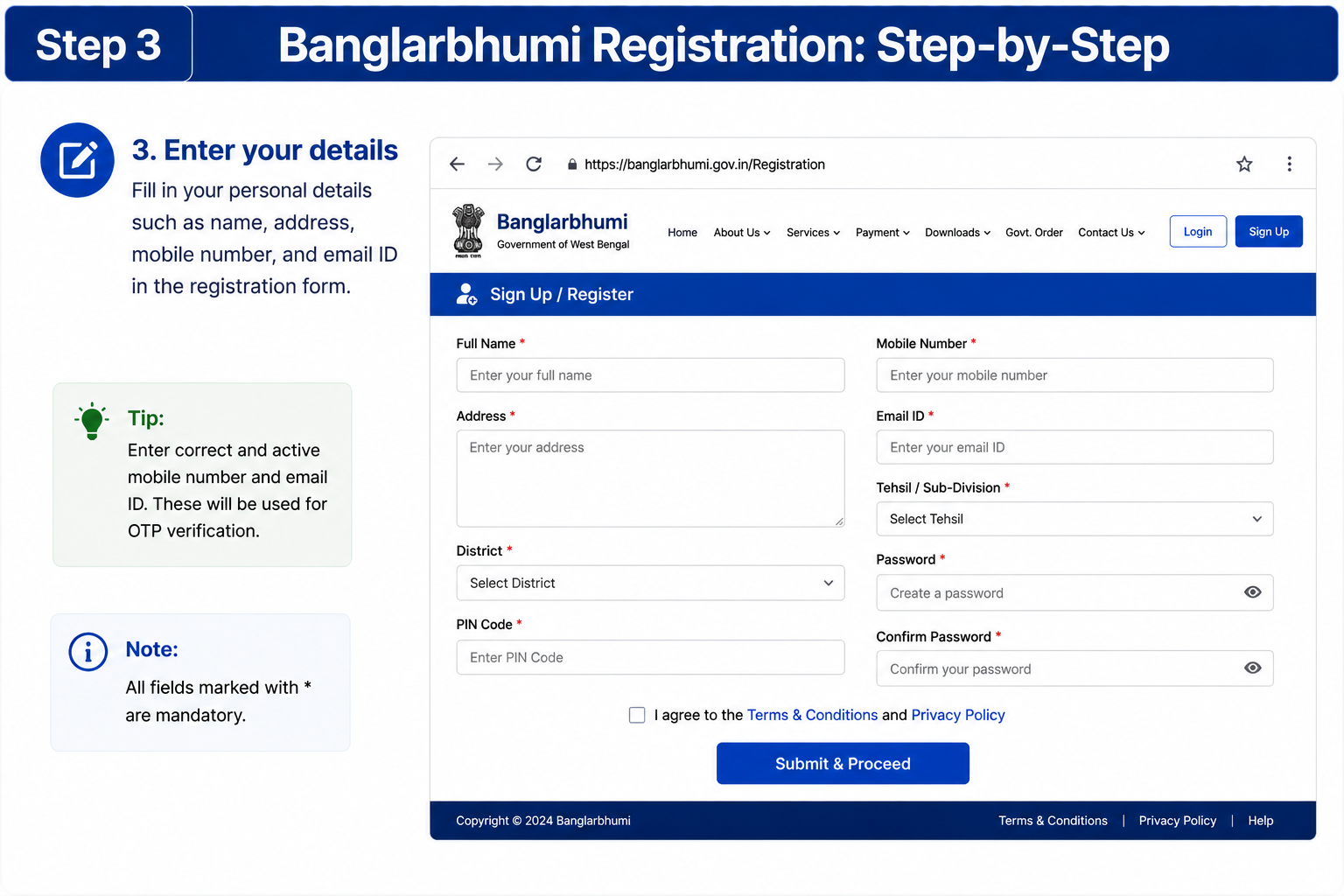
Enter Your Personal Details
Set Username and Password
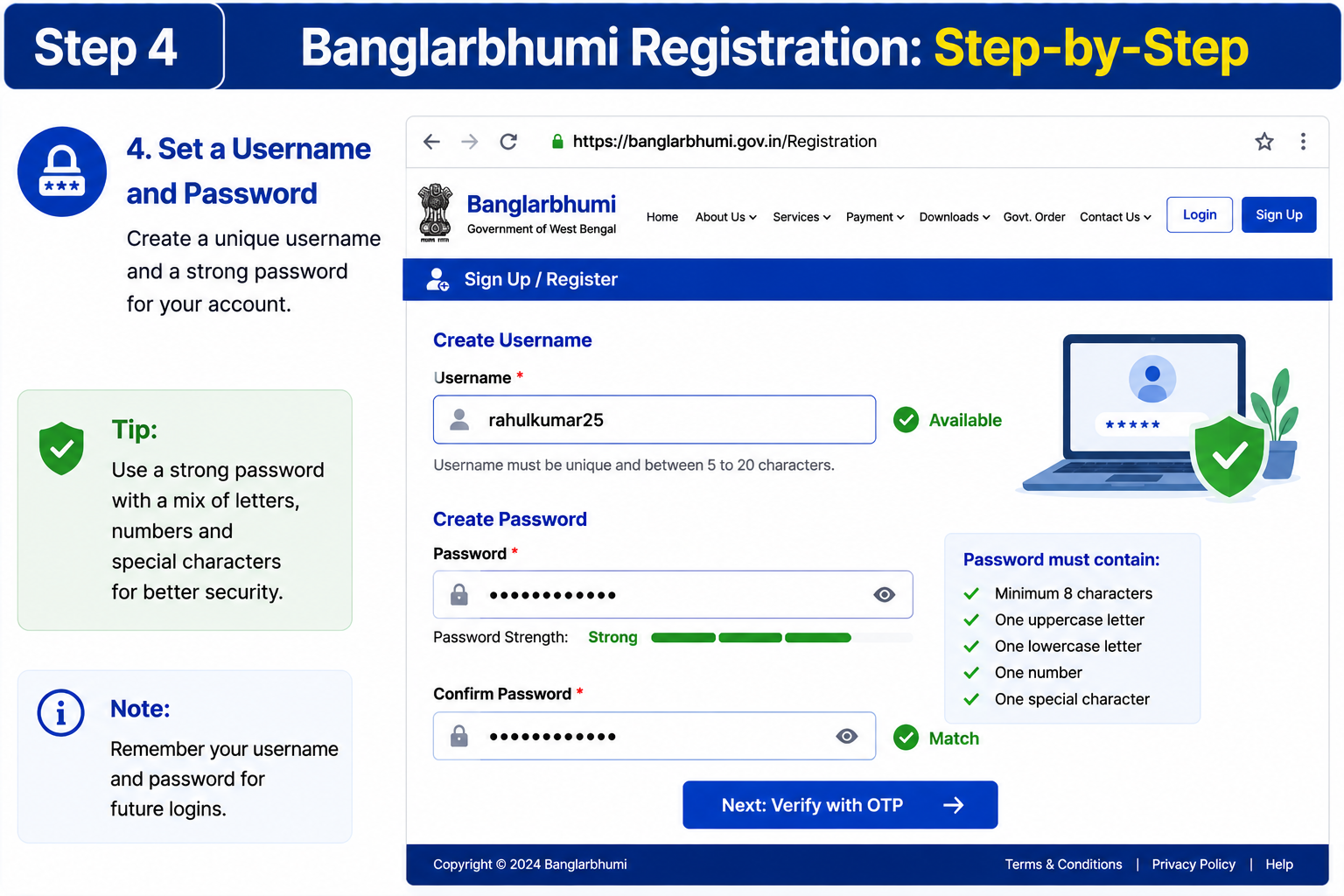
Submit Form and Verify OTP
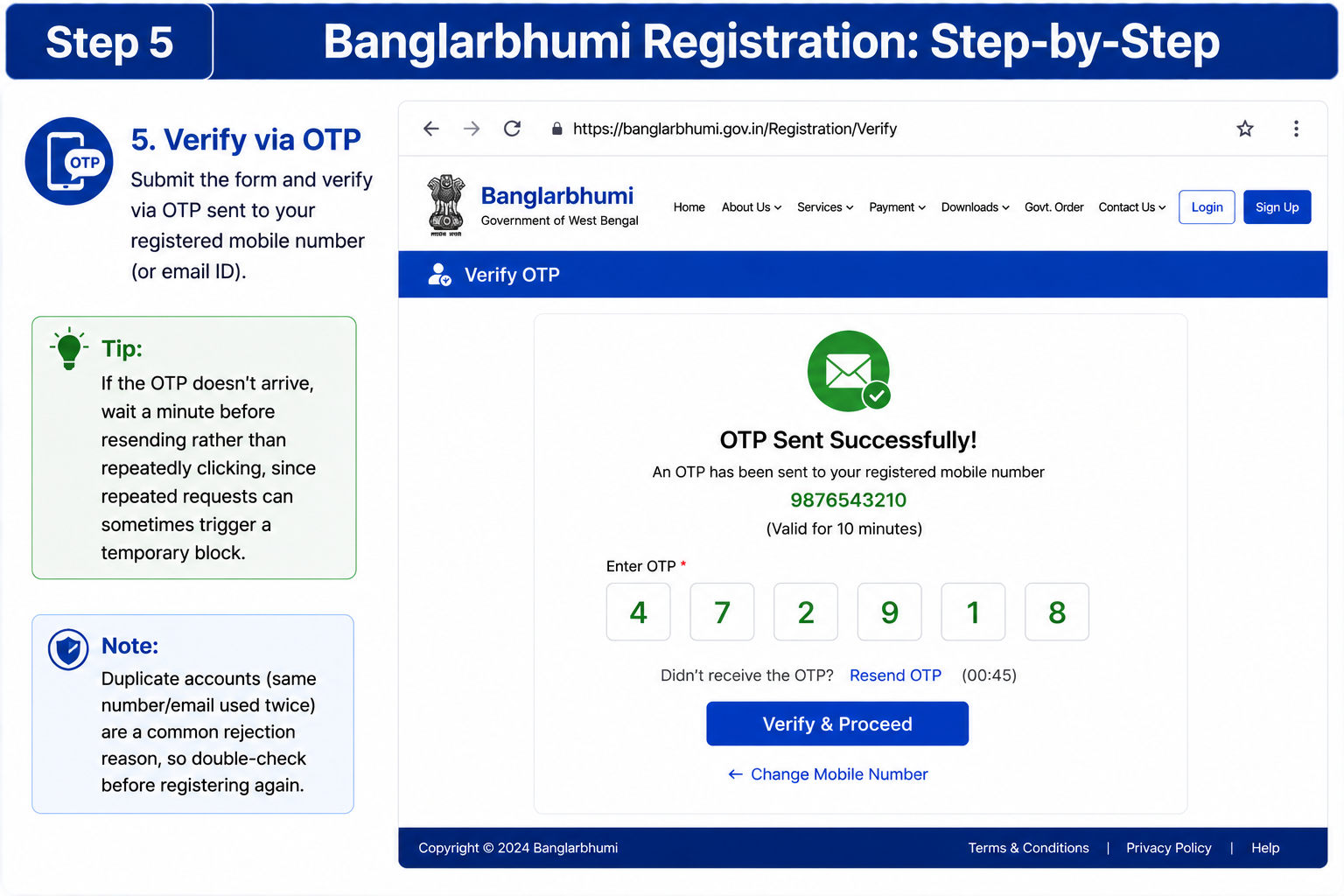
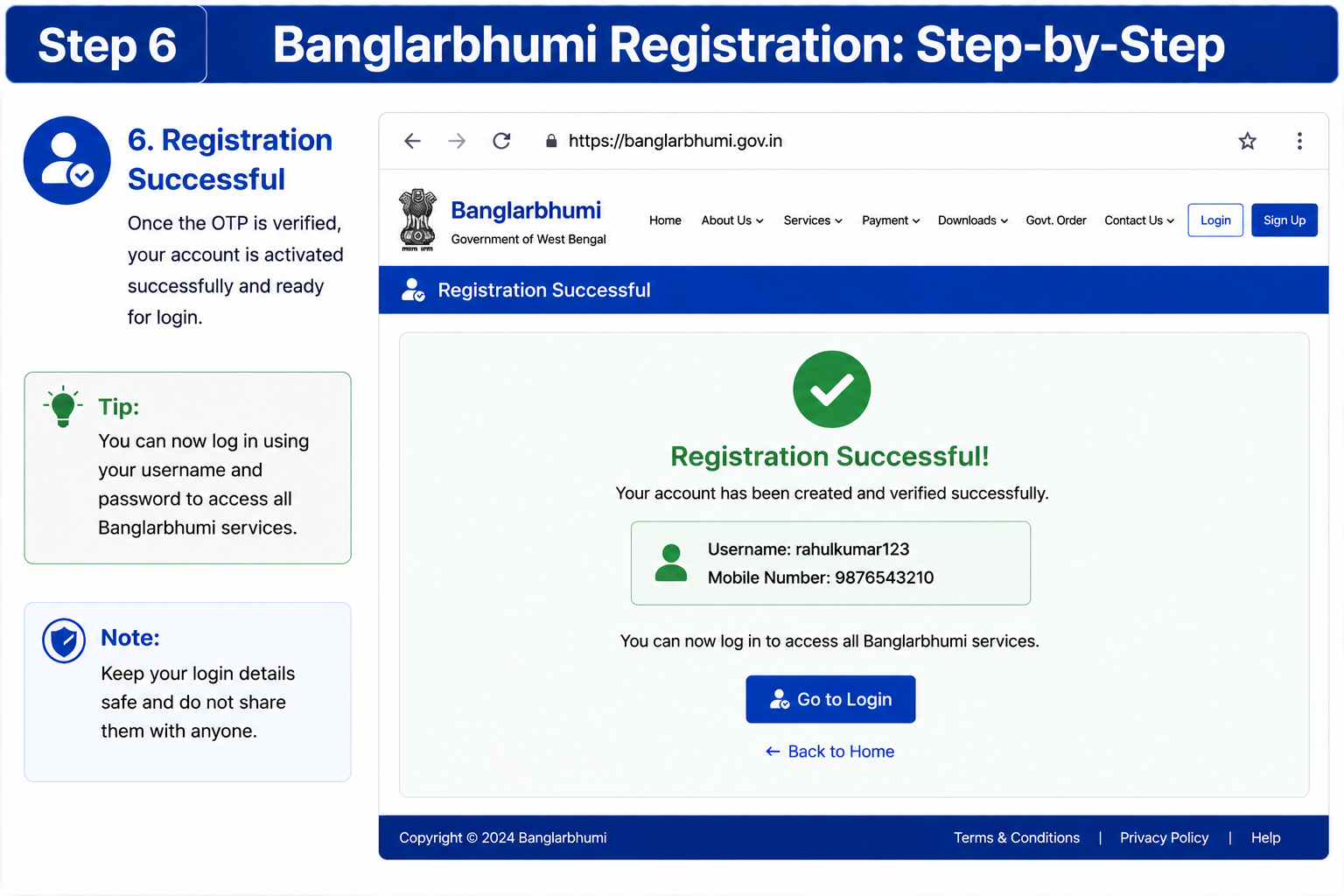
Account Activated Successfully
How to Search Land Records by Khatian or Plot Number
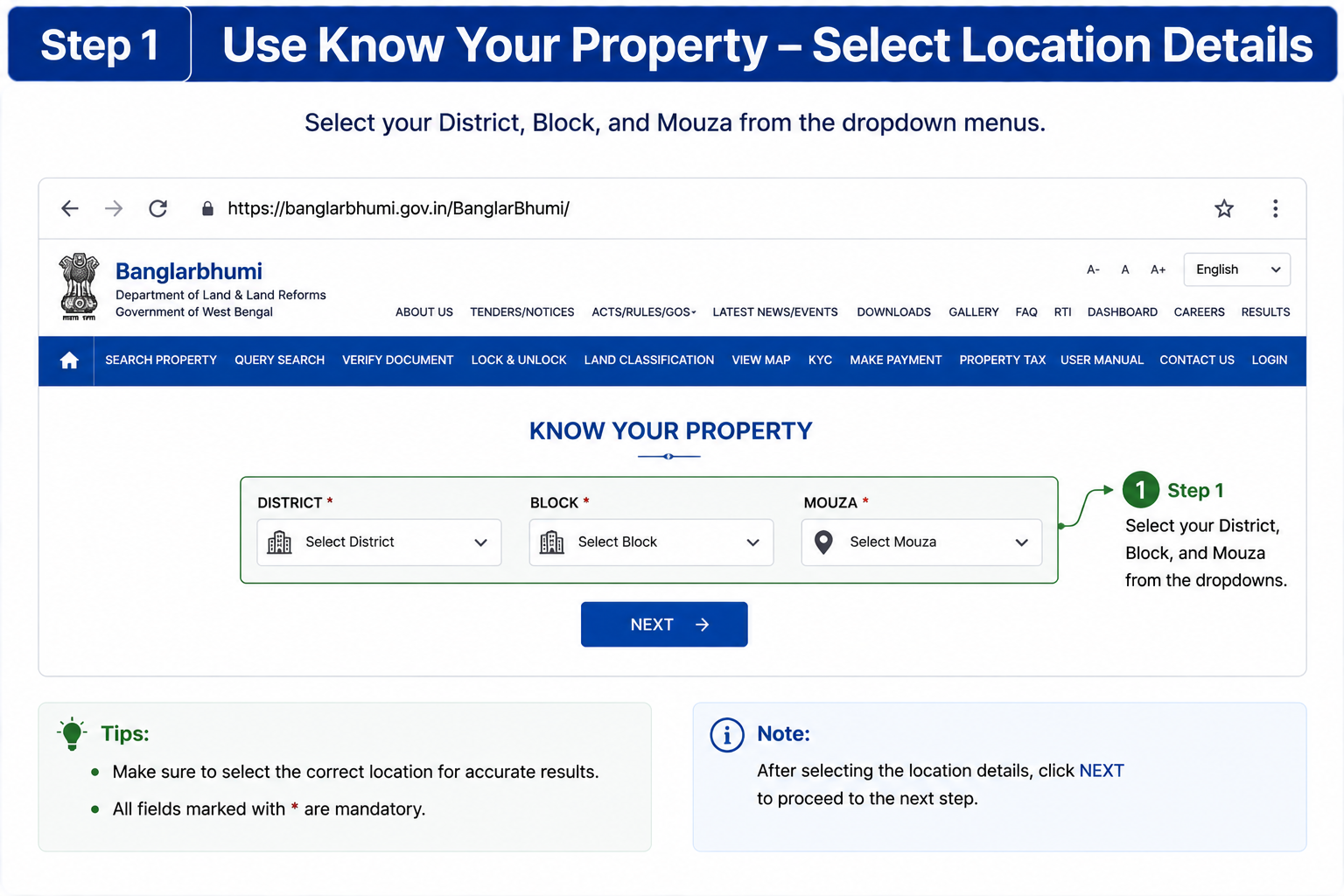
The Know Your Property tool is the quickest way to search ownership records, plot details and land classification online.
Select Your District, Block & Mouza
Choose your district, block and mouza from the dropdown menu available on the portal.
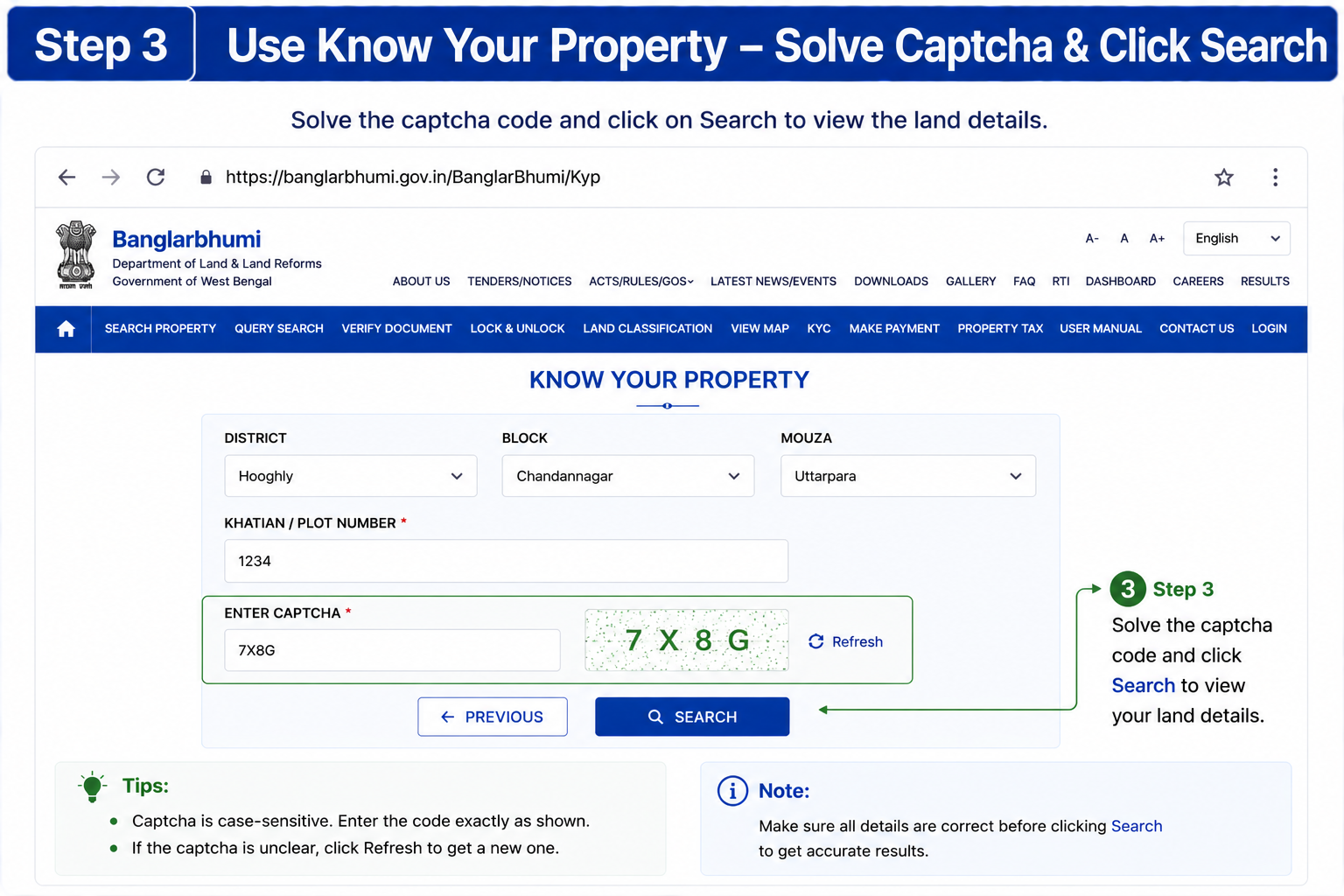
Enter the Khatian Number or Plot Number
Type the Khatian number or Plot number to search the specific land record directly.
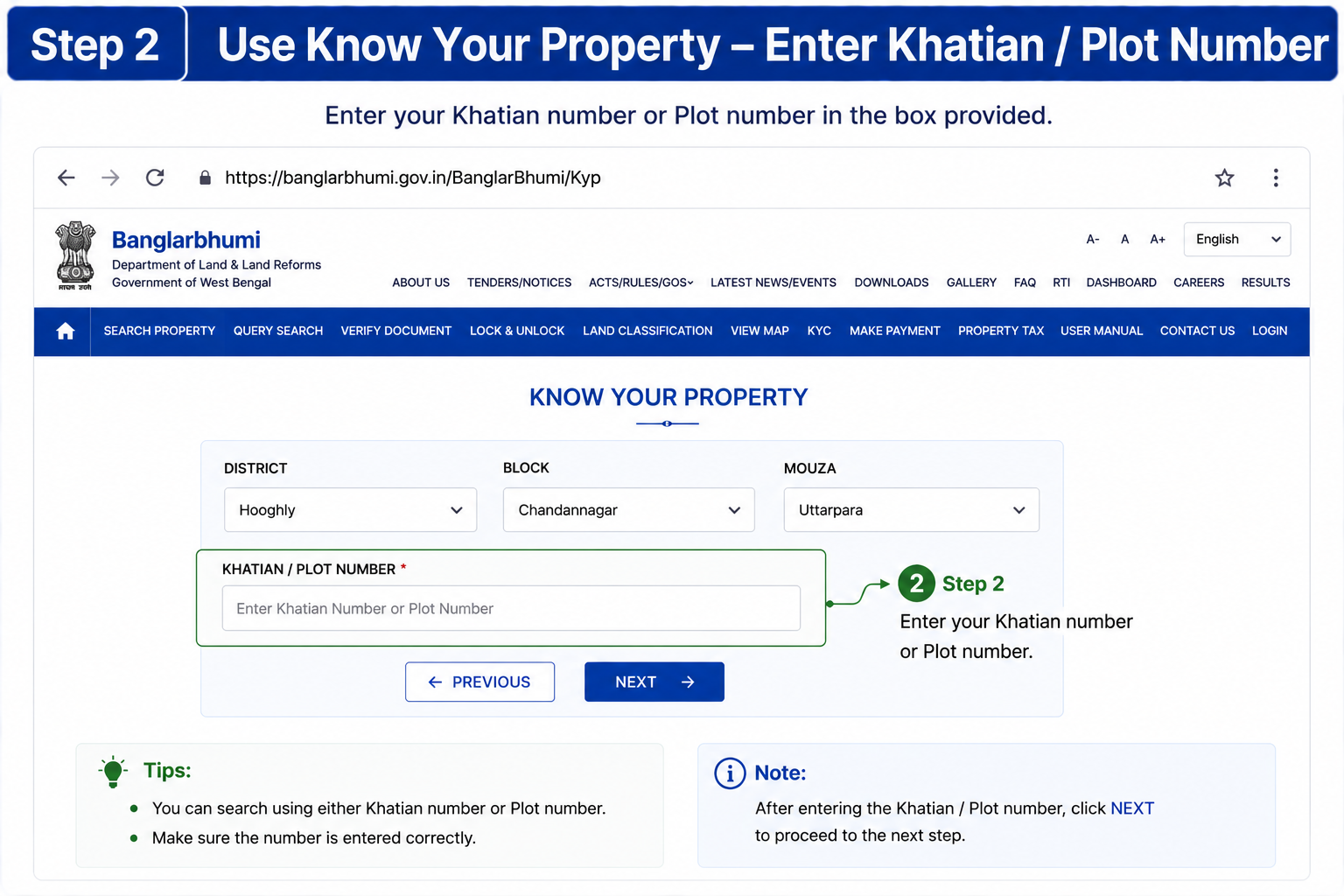
Solve the Captcha & Click Search
Complete the captcha verification and click the Search button to view the result.
What the Search Result Shows
The result displays owner name(s), plot area, land classification and basic ownership history.
Query Search for Older Applications
If you already have a query number from an earlier application, the Query Search option helps track that request by combining the query number with the relevant year.
This is especially useful for older records that are difficult to find through a fresh search.
Why the Plot Number Matters
Every plot number is unique to a single parcel of land, making it one of the most important identifiers in the entire land records system.
How to Get an RoR (Record of Rights) Certificate
The RoR (Record of Rights) is one of the most important documents available on the Banglarbhumi portal. It works as legal proof of land ownership during property sales, court cases and bank loan processing.
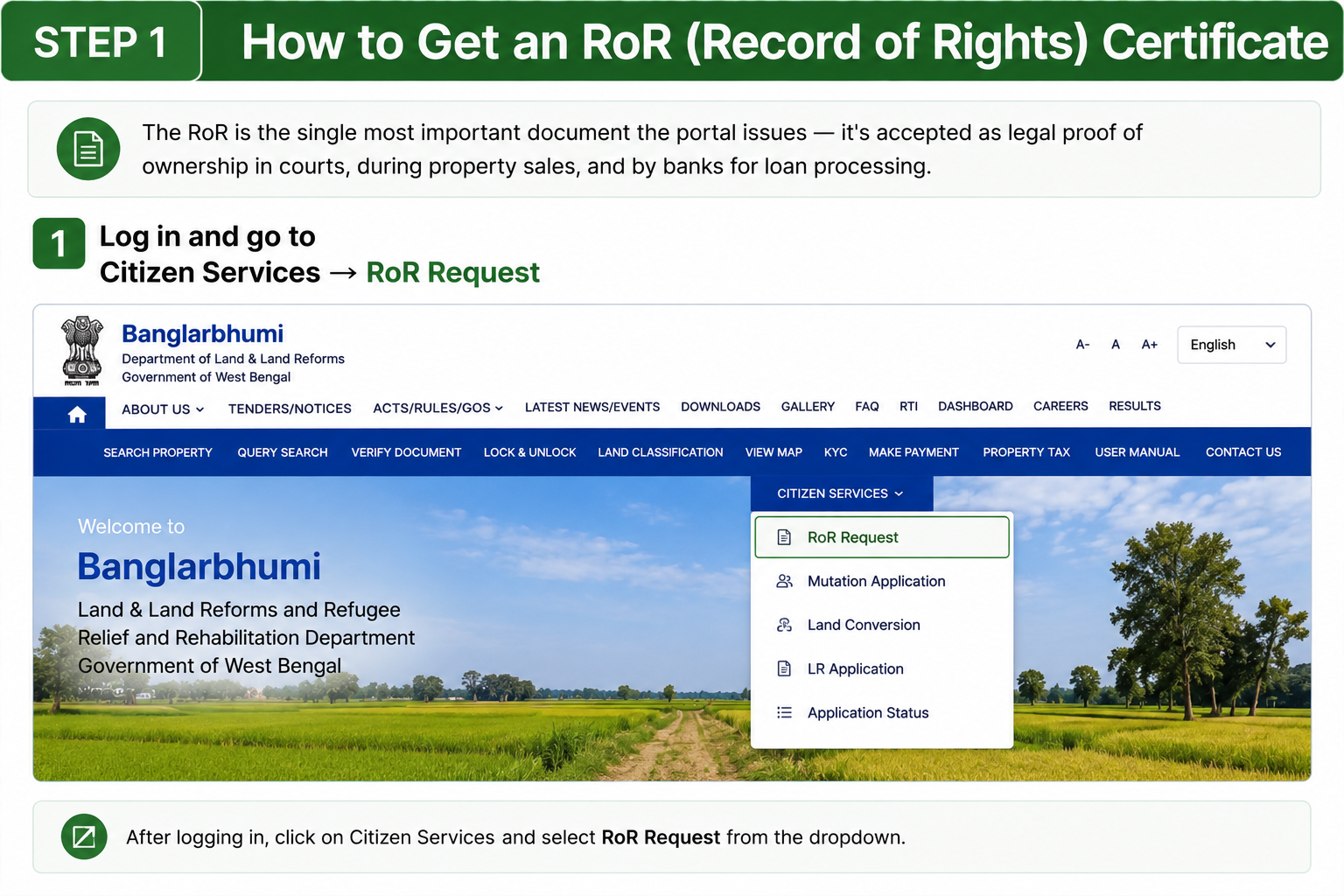
Log in & Open RoR Request Service
Log in to your Banglarbhumi account and go to Citizen Services → RoR Request.
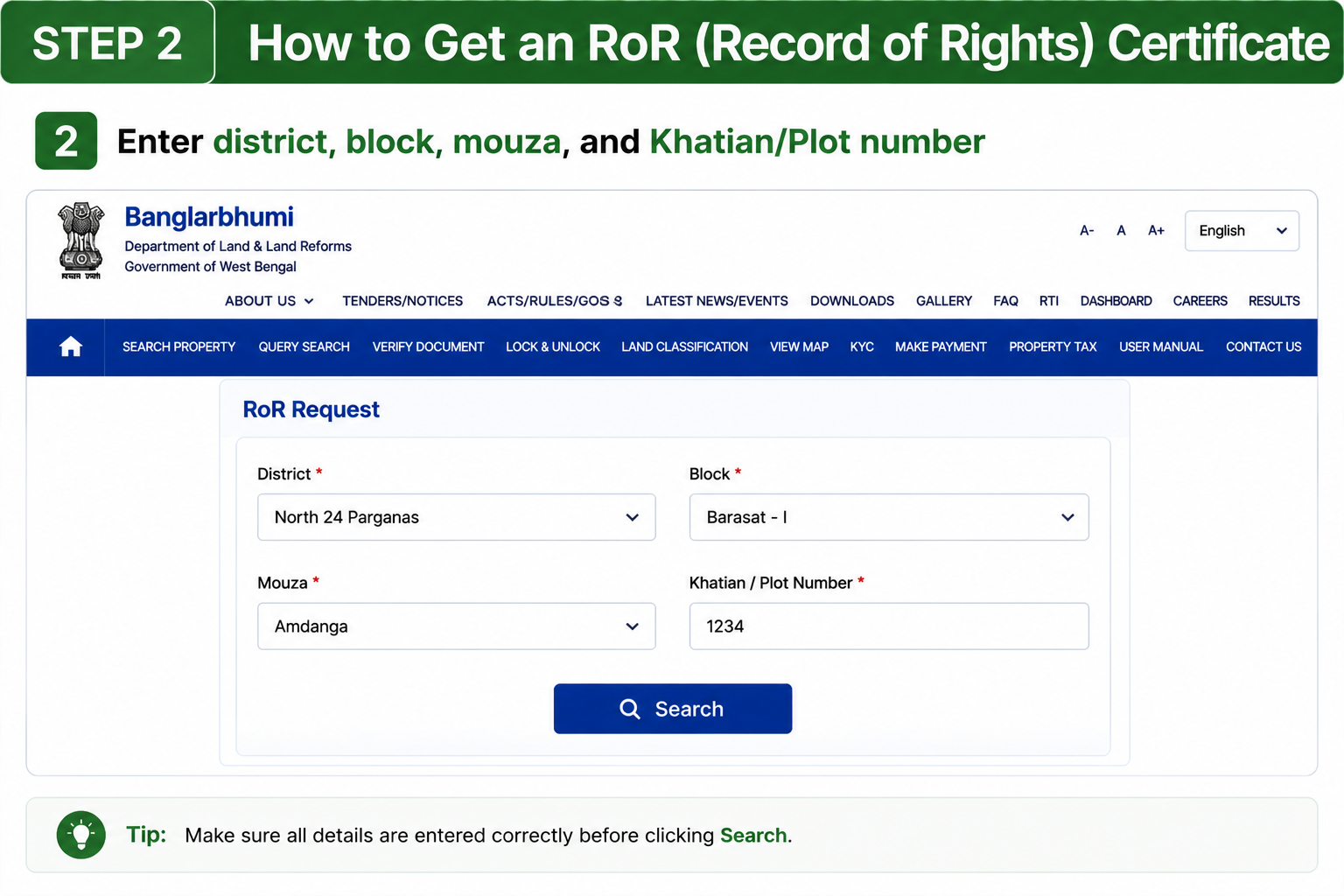
Enter Land Details
Fill in the district, block, mouza and Khatian or Plot number carefully.
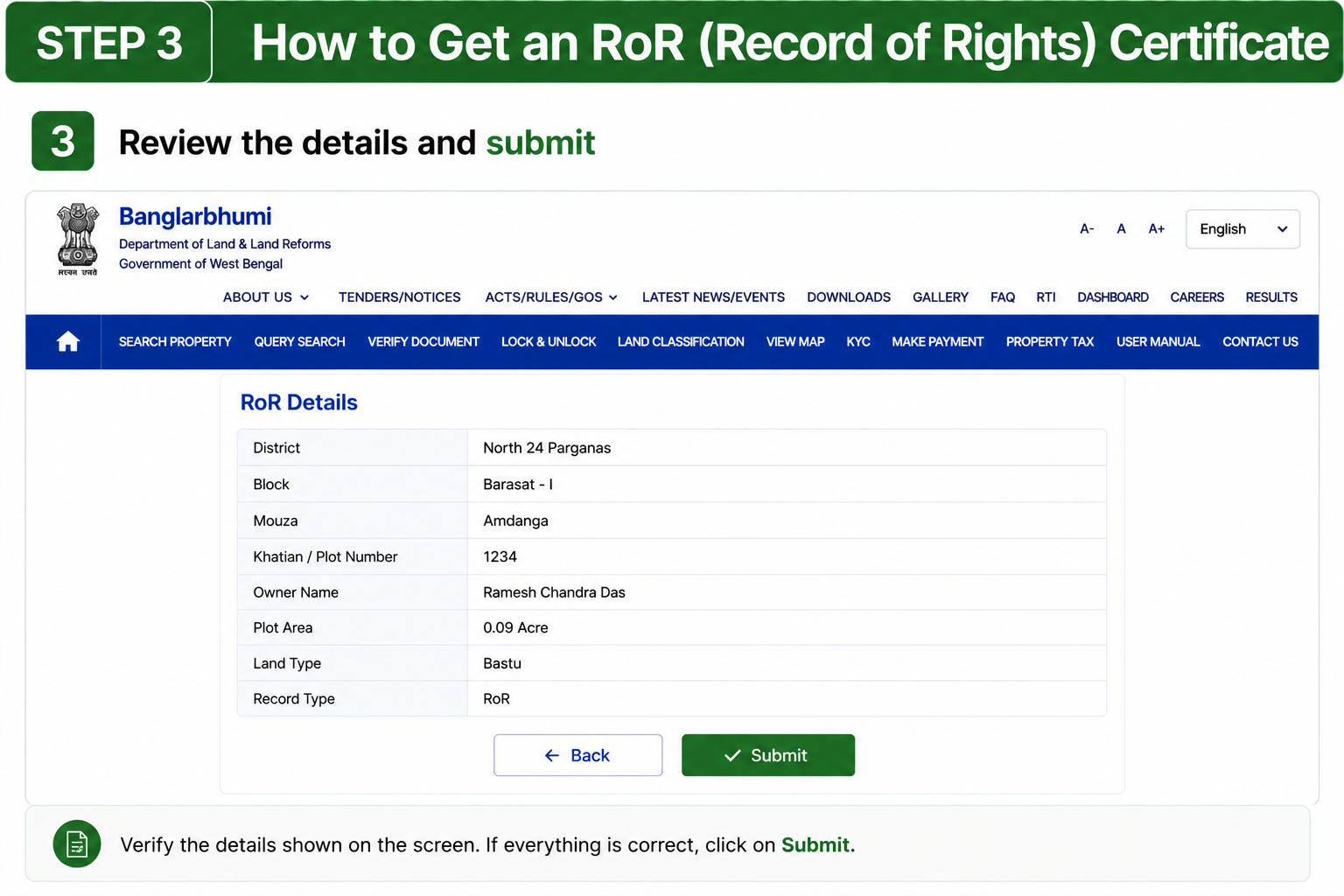
Review Details & Submit
Verify all entered information carefully before submitting the application.
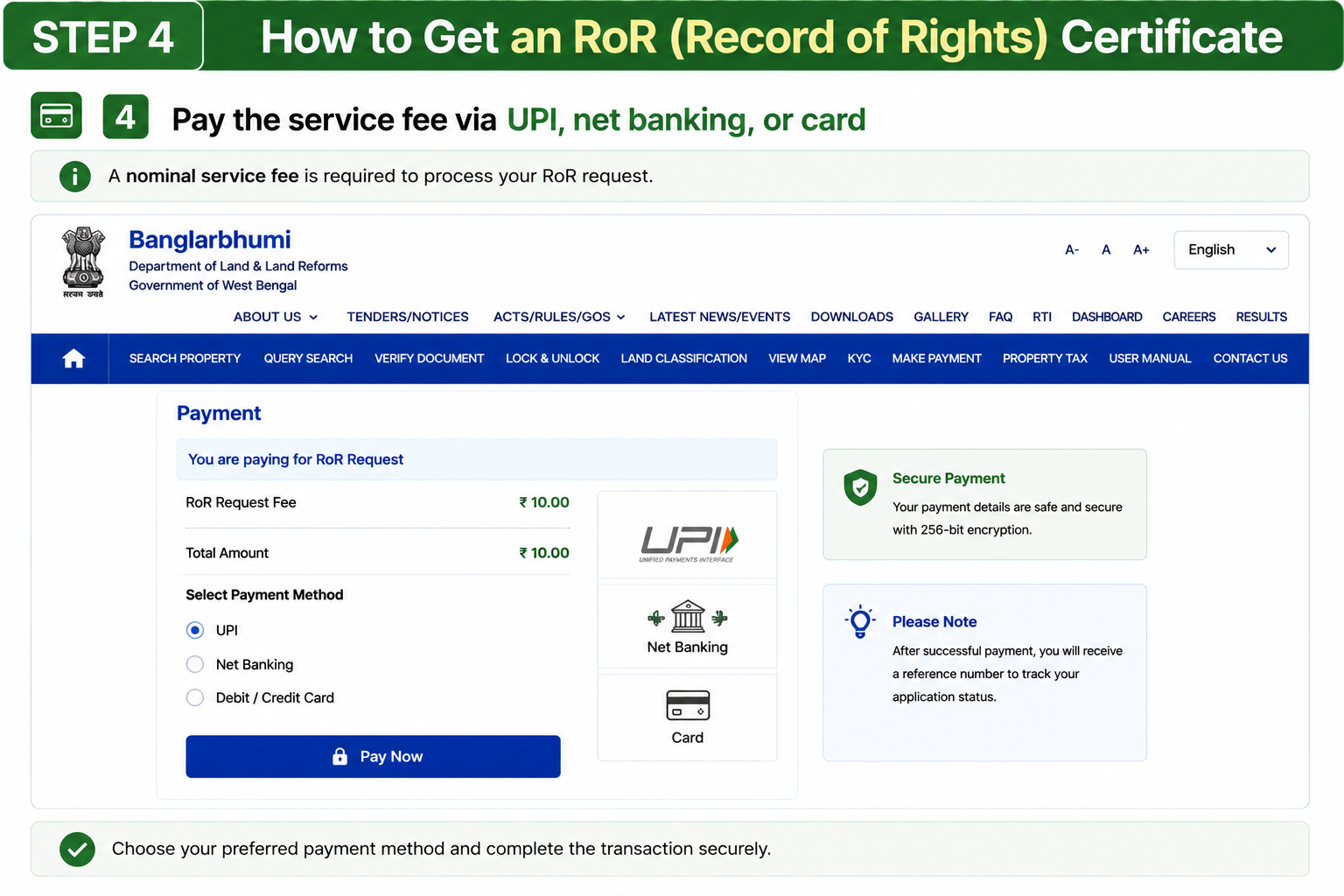
Pay the Service Fee Online
Complete the payment using UPI, debit card, credit card or net banking.
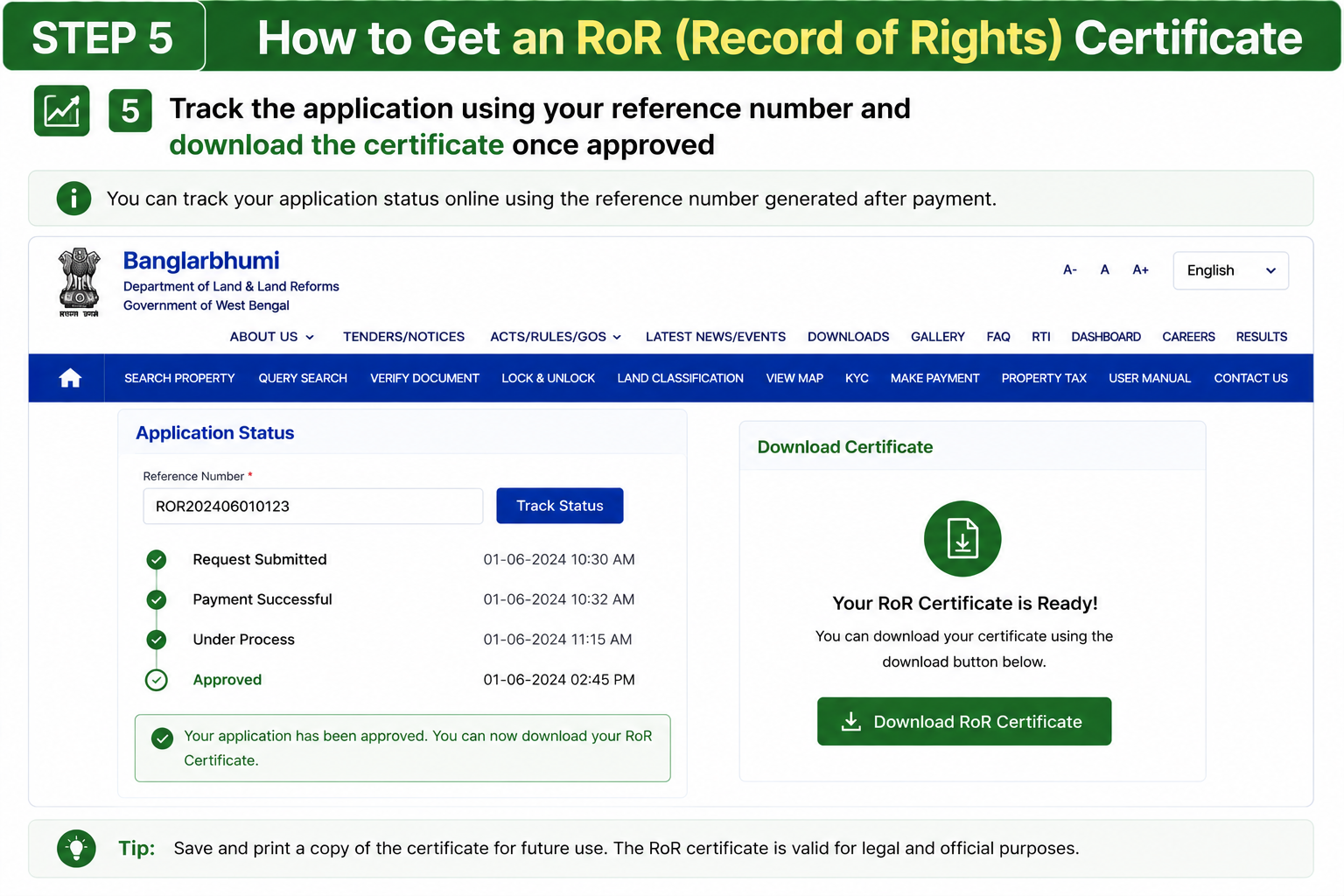
Track & Download the Certificate
Use the reference number to track the application and download the certificate after approval.
Why the RoR Certificate Matters
The Record of Rights certificate is accepted as official proof of land ownership by courts, banks and registration authorities.
How to Get an RoR (Record of Rights) Certificate
The RoR (Record of Rights) is one of the most important documents available on the Banglarbhumi portal. It works as legal proof of land ownership during property sales, court cases and bank loan processing.
Log in & Open RoR Request Service
Log in to your Banglarbhumi account and go to Citizen Services → RoR Request.
Enter Land Details
Fill in the district, block, mouza and Khatian or Plot number carefully.
Review Details & Submit
Verify all entered information carefully before submitting the application.
Pay the Service Fee Online
Complete the payment using UPI, debit card, credit card or net banking.
Track & Download the Certificate
Use the reference number to track the application and download the certificate after approval.
Why the RoR Certificate Matters
The Record of Rights certificate is accepted as official proof of land ownership by courts, banks and registration authorities.
Paying Khajna, Mutation, or Conversion Fees Online
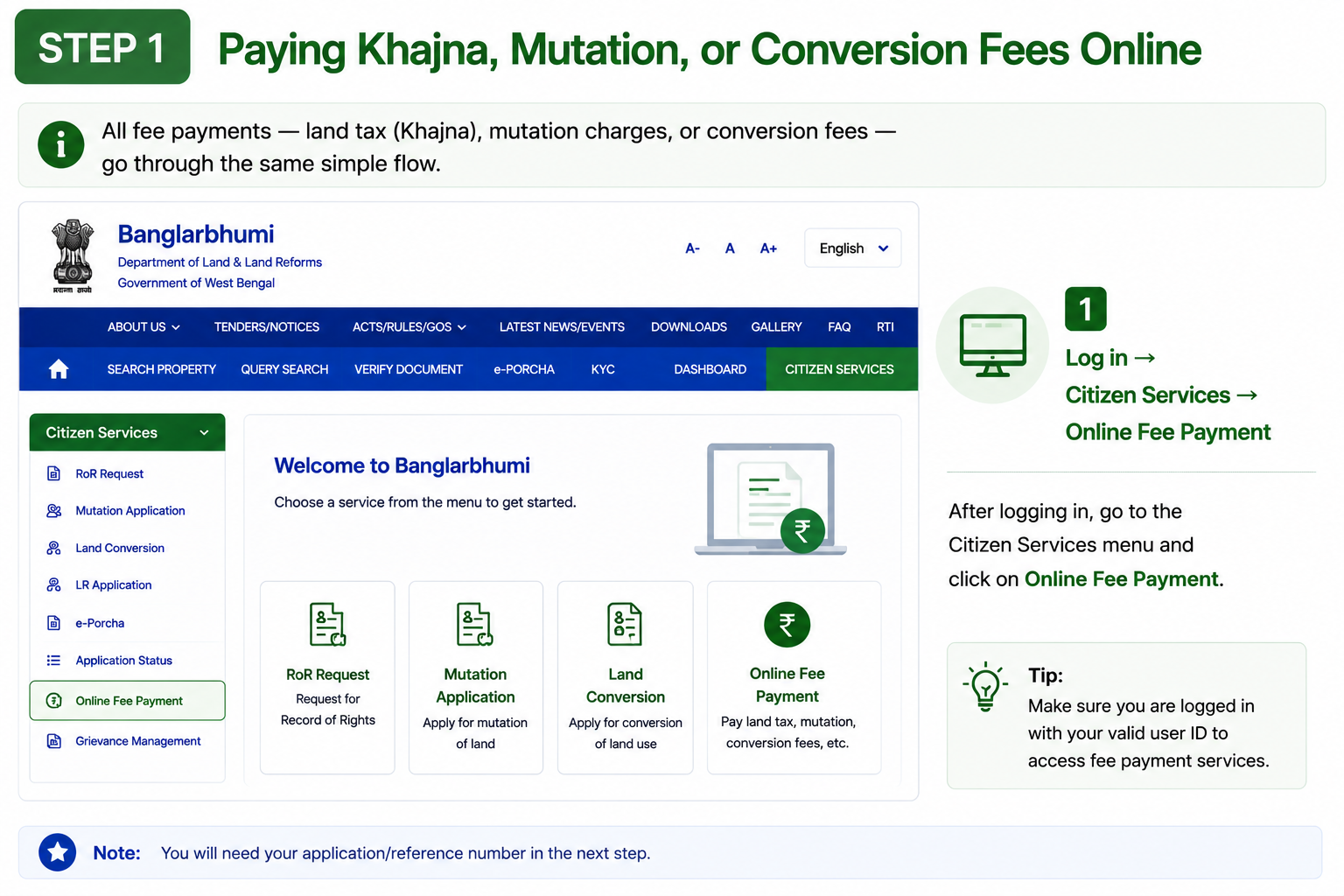
All online payments including Khajna (Land Tax), mutation charges and land conversion fees follow the same payment process on Banglarbhumi.
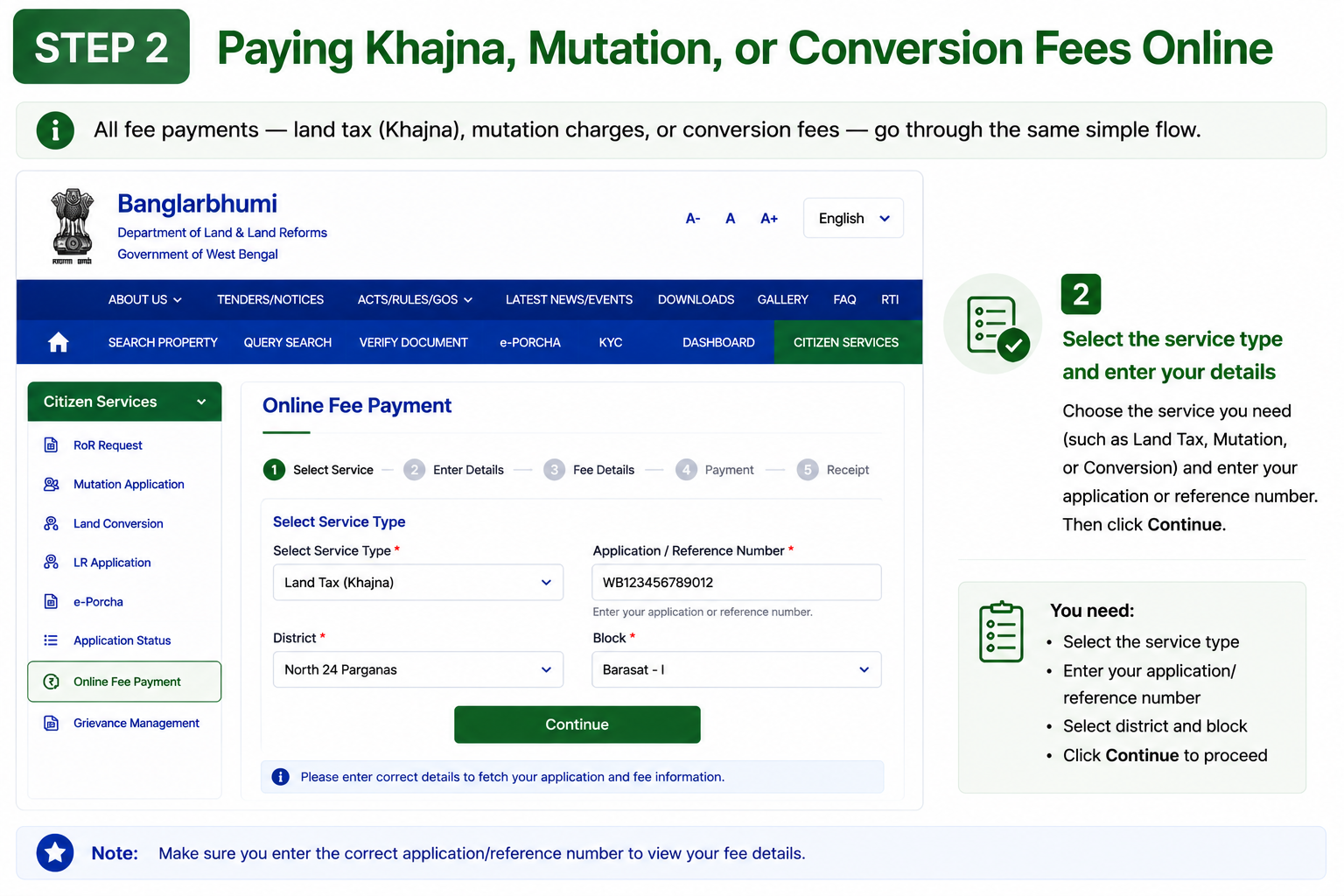
Open Online Fee Payment Service
Log in to your account and go to Citizen Services → Online Fee Payment.
Select Service Type & Enter Reference Number
Choose the service category and enter your application or reference number carefully.
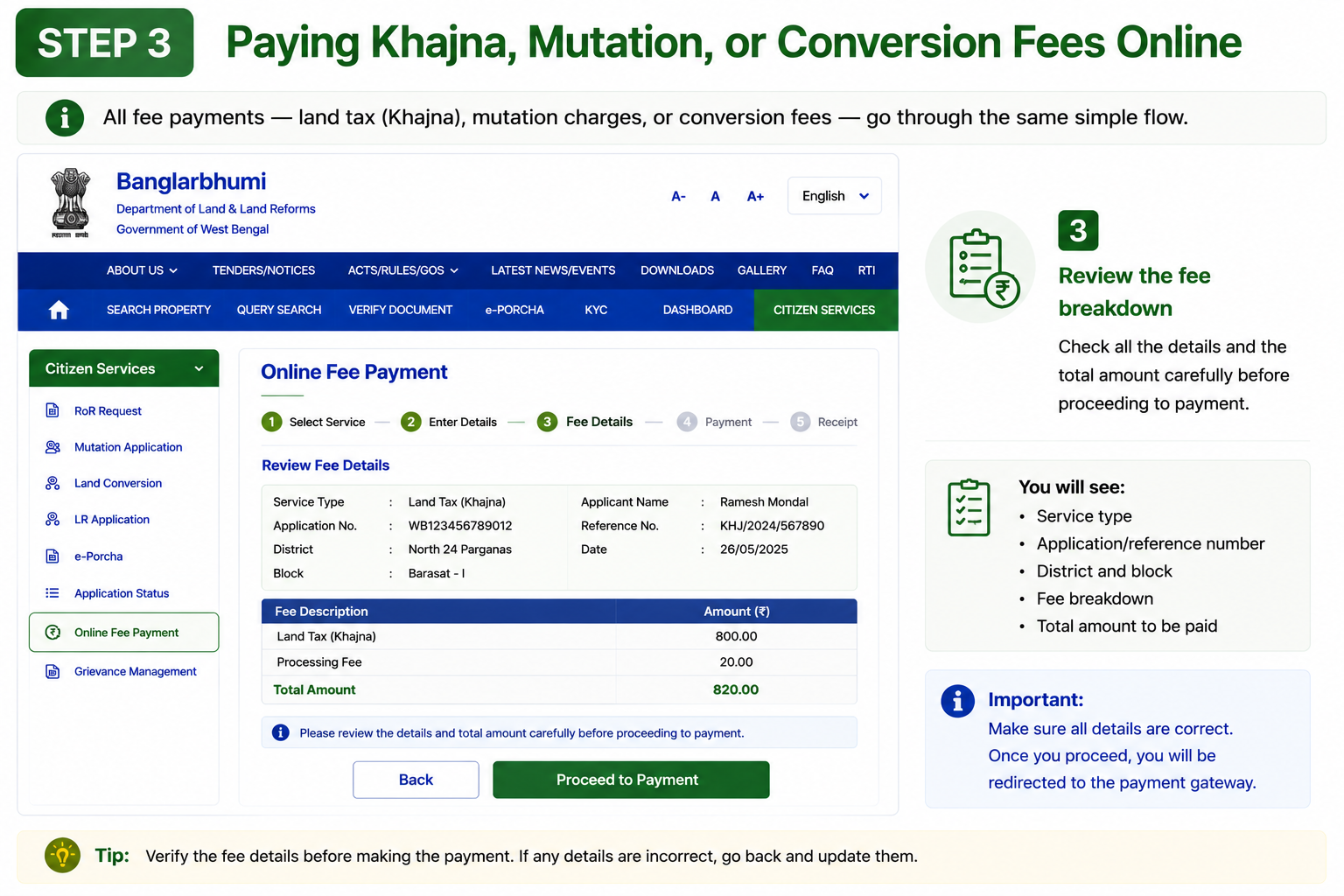
Review Fee Details
Check the fee breakdown properly before proceeding to payment.
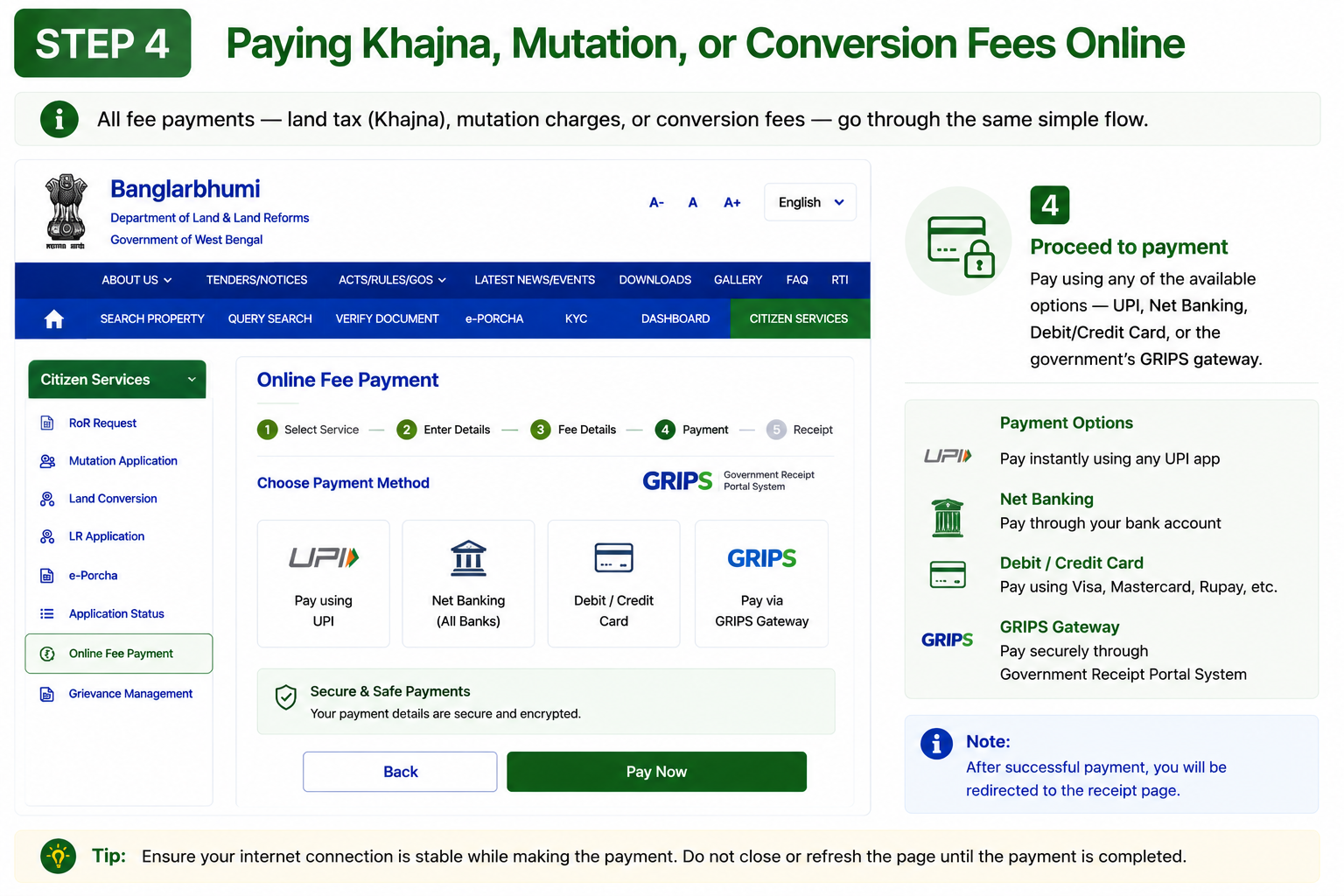
Complete Payment Online
Pay through UPI, debit card, credit card, net banking or the government GRIPS gateway.
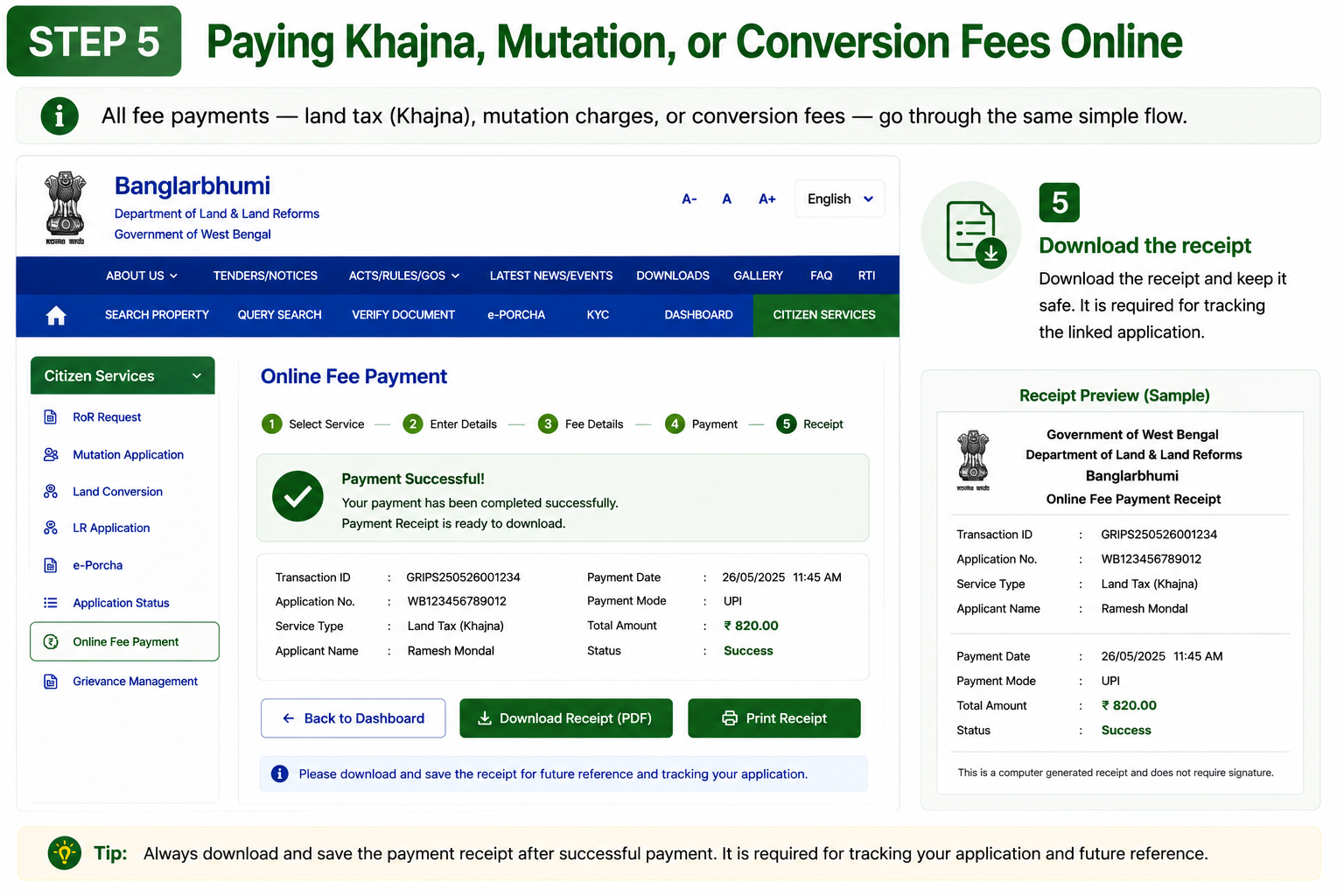
Download & Save the Receipt
Download the payment receipt and keep it safe, as it is required for tracking the linked application.
Supported Payment Methods
Applying for Mutation on Banglarbhumi
Mutation updates the ownership details in government records after a property sale, inheritance or gift transfer. Without mutation, official land and tax records still show the previous owner's name.
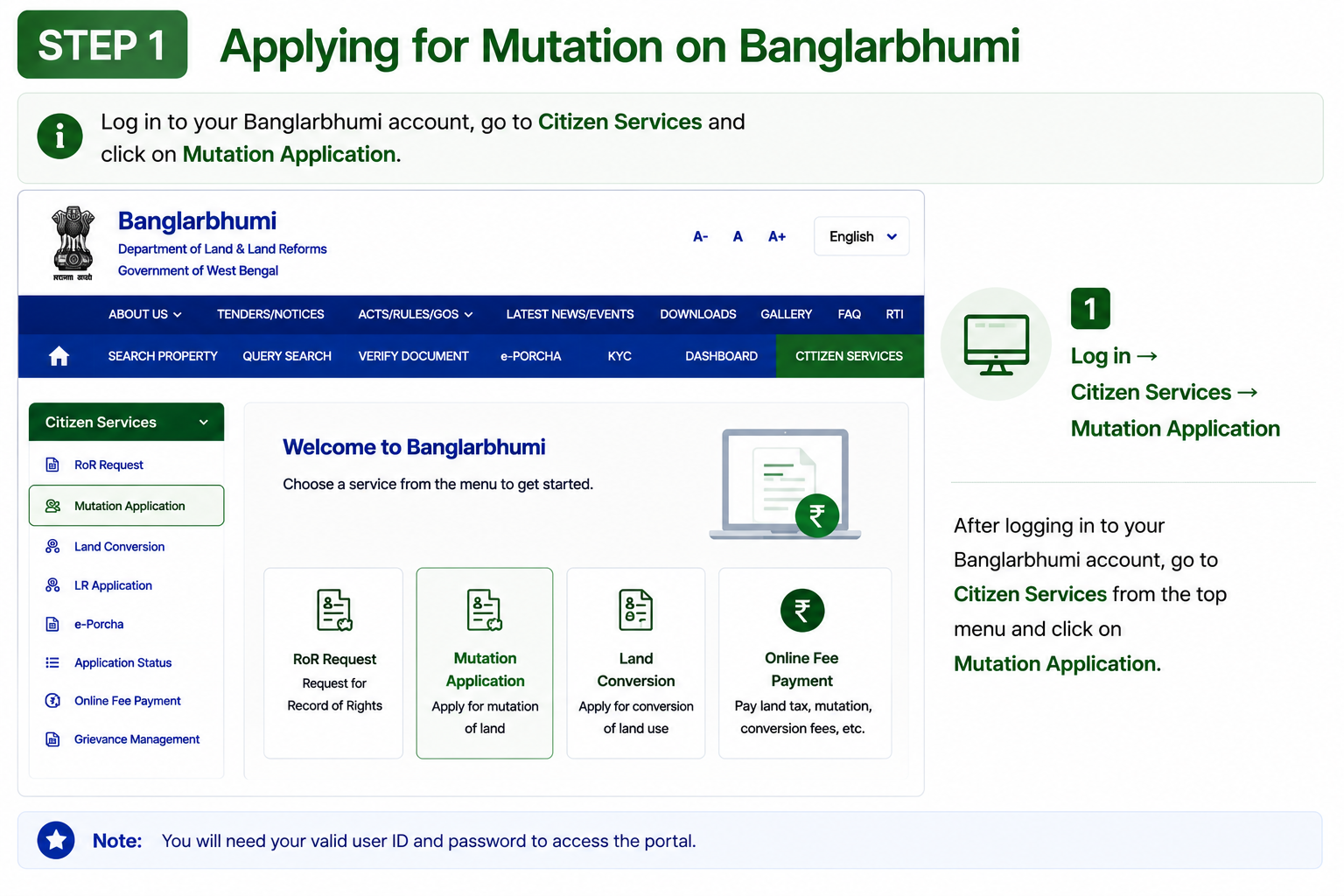
Open Mutation Application Service
Log in and go to Citizen Services → Mutation Application.
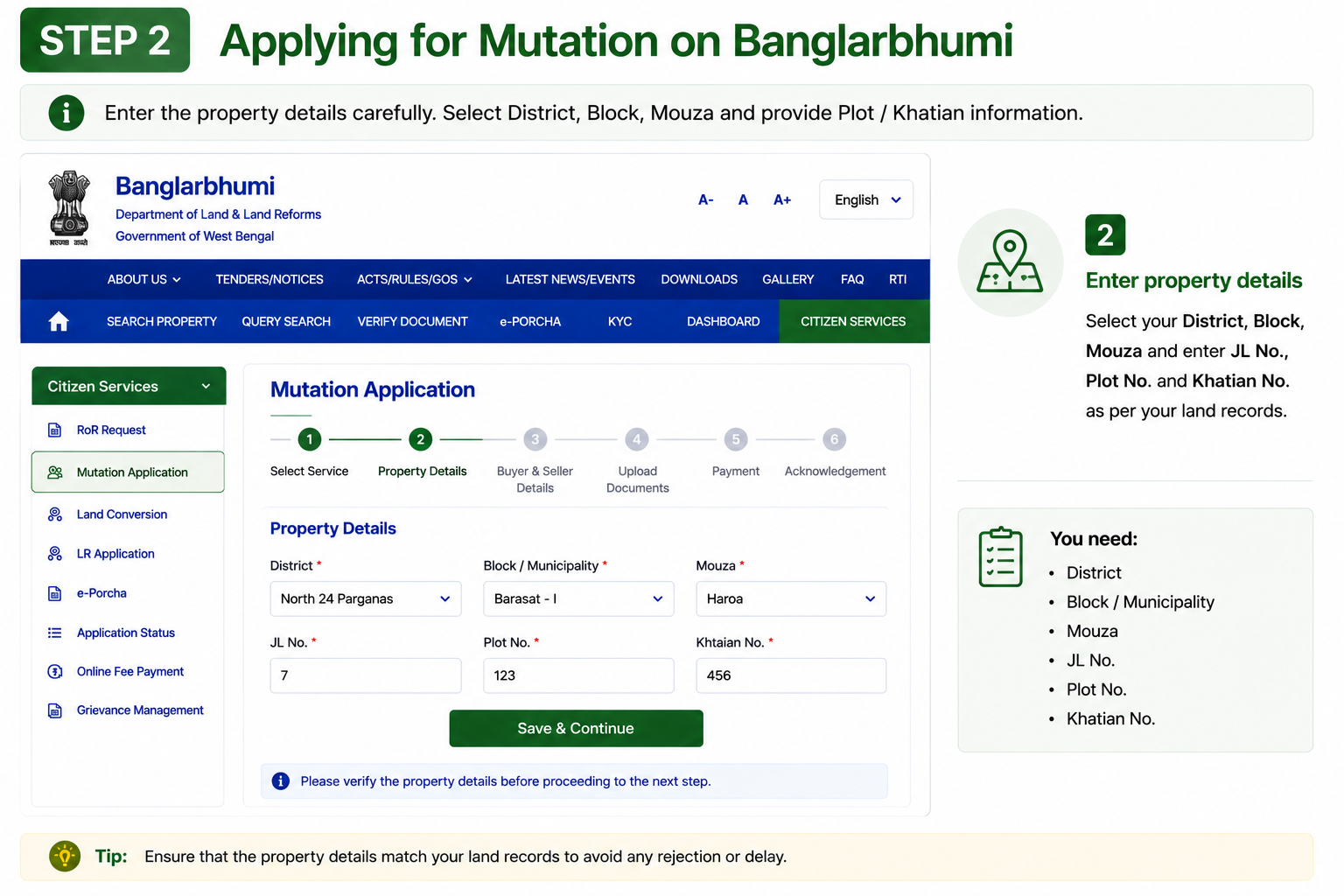
Enter Property Details
Fill district, block, mouza, plot number and Khatian details carefully.
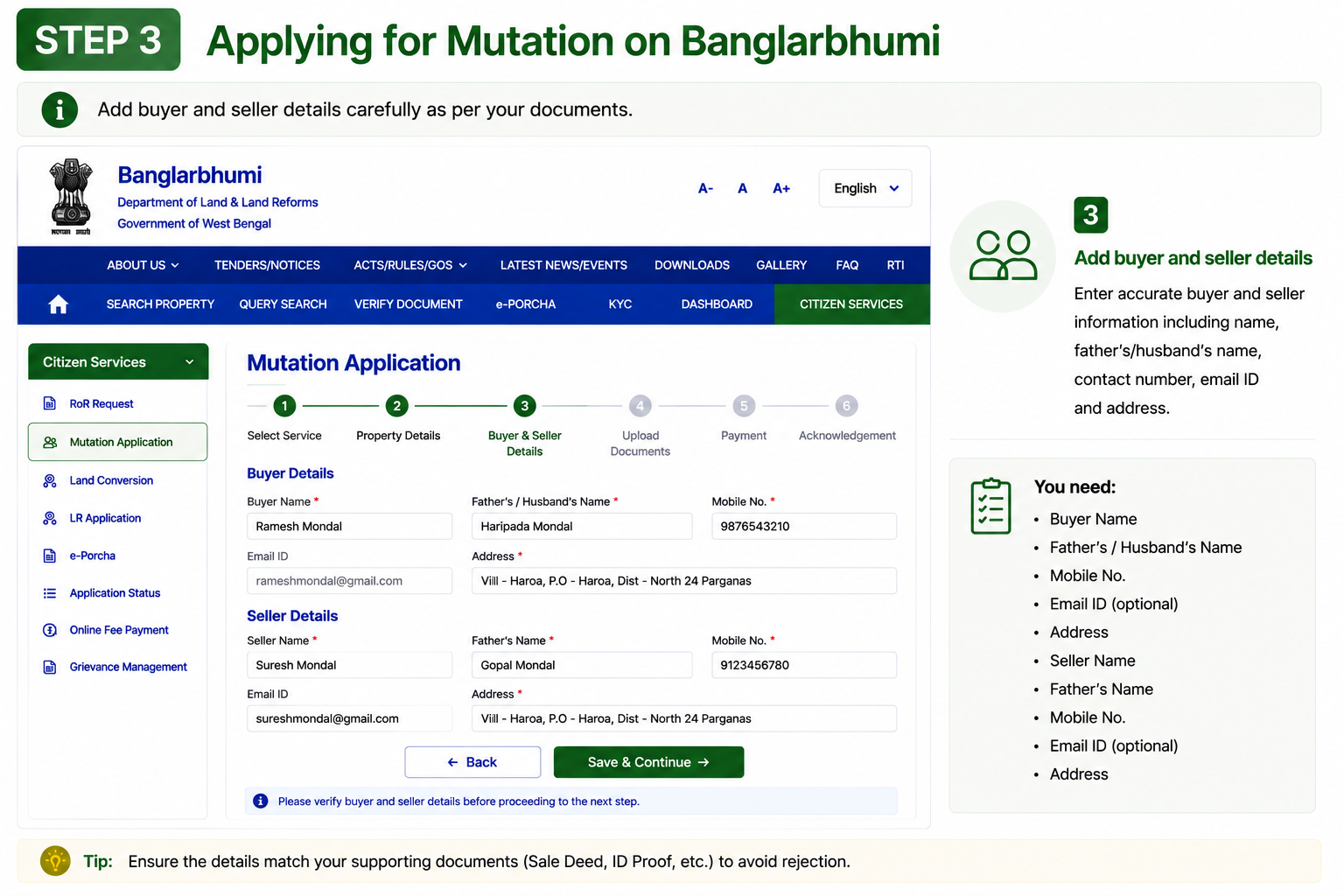
Add Buyer & Seller Information
Enter details of the previous owner and the new owner correctly.
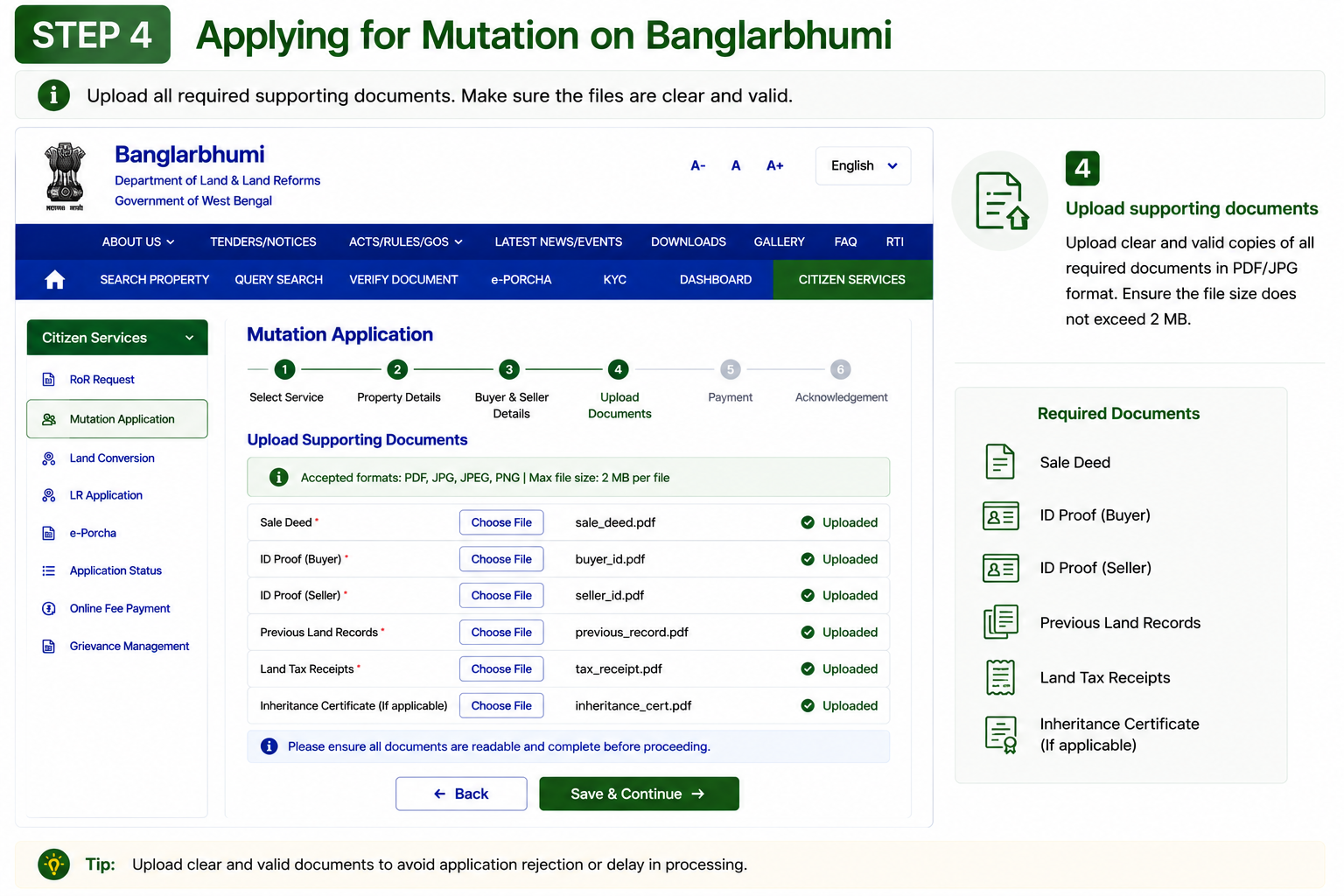
Upload Supporting Documents
Upload required documents such as sale deed, ID proof, tax receipts, previous land records and inheritance certificate (if applicable).
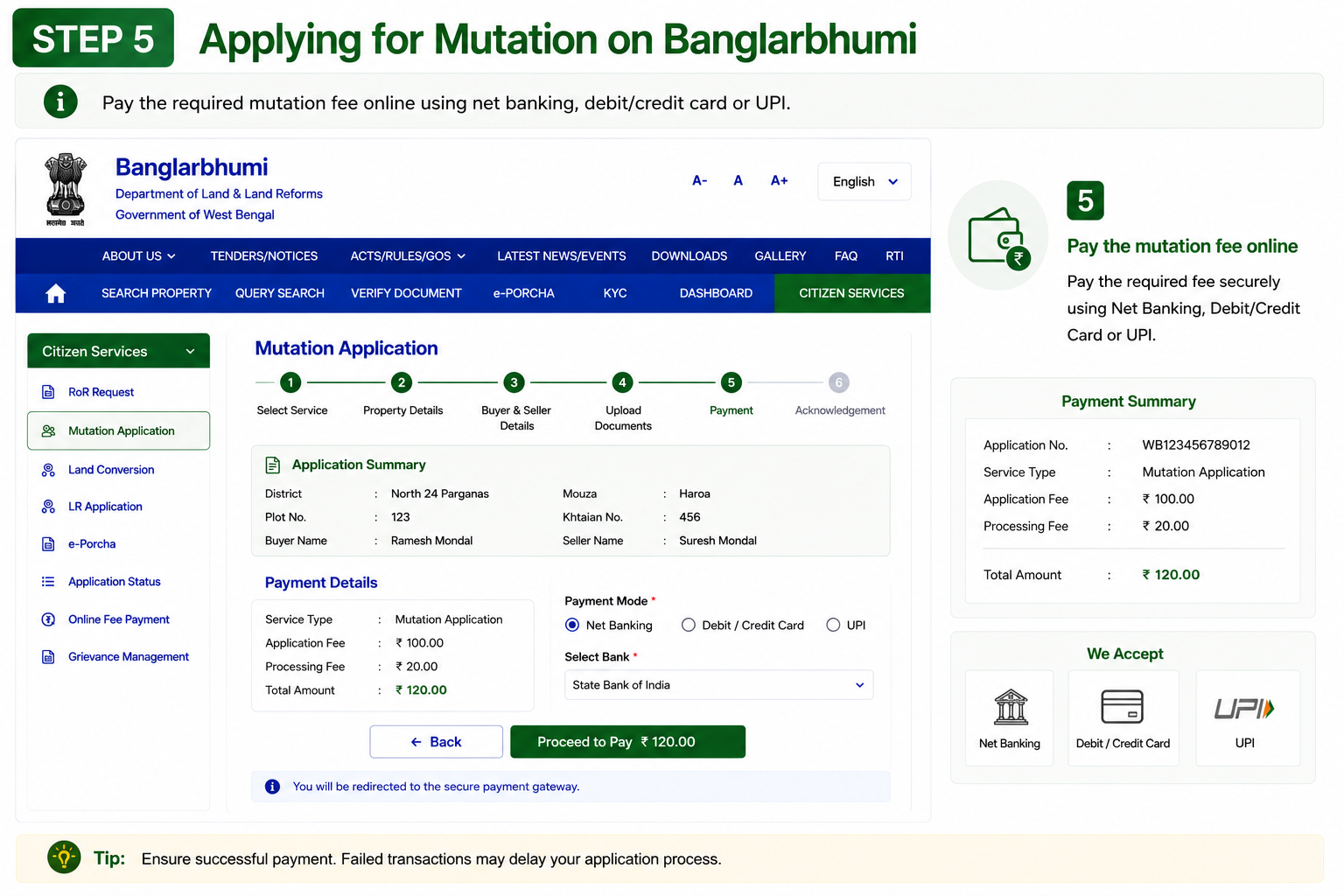
Pay Mutation Fee Online
Complete the mutation fee payment through the online payment gateway.
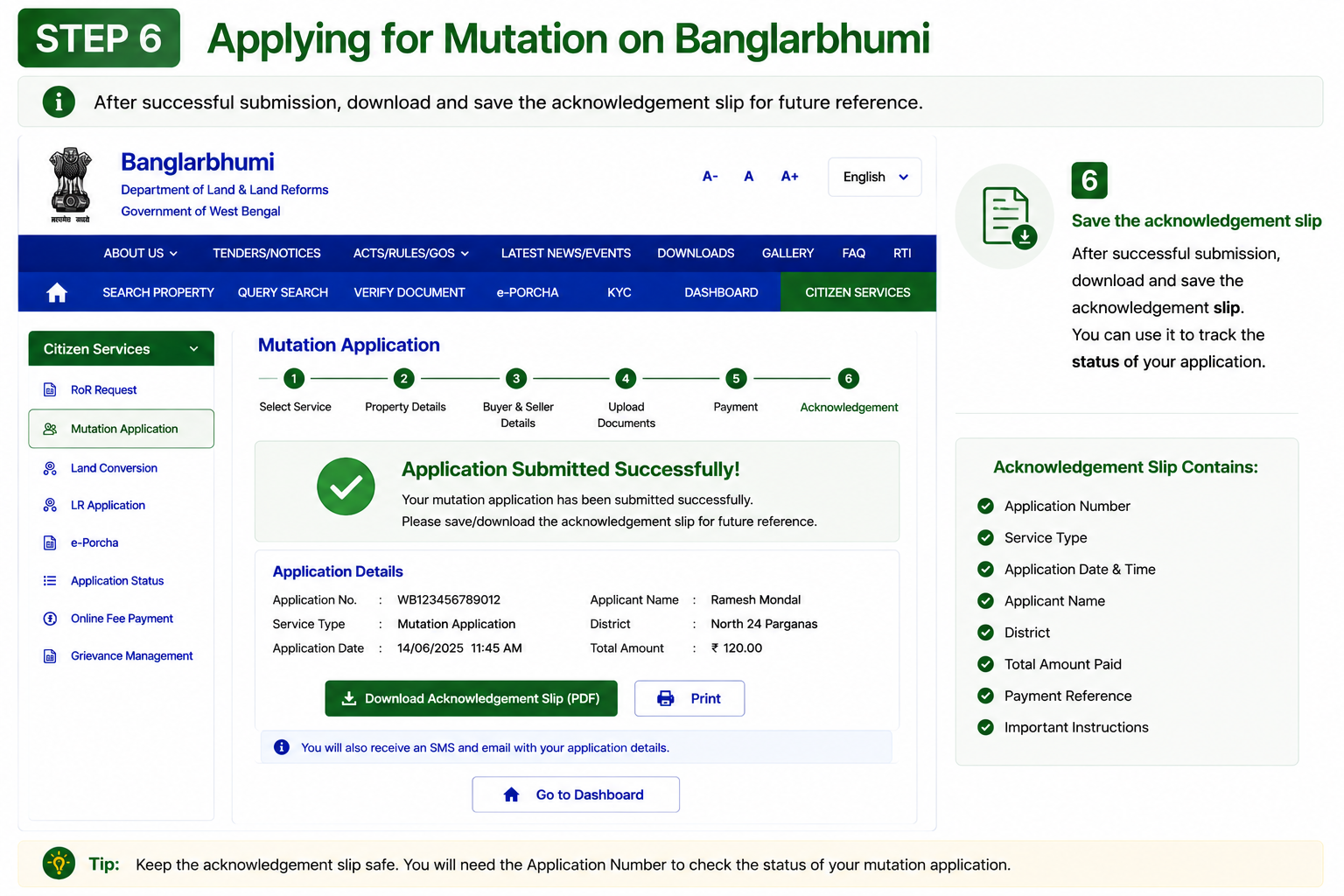
Save the Acknowledgement Slip
Download and save the acknowledgement slip generated after successful submission.
Ways to Check Mutation Status
Viewing Mouza and Plot Maps
Before buying land or resolving a boundary dispute, checking the Mouza or Plot map is highly recommended. These maps help verify actual land boundaries instead of relying only on paperwork.
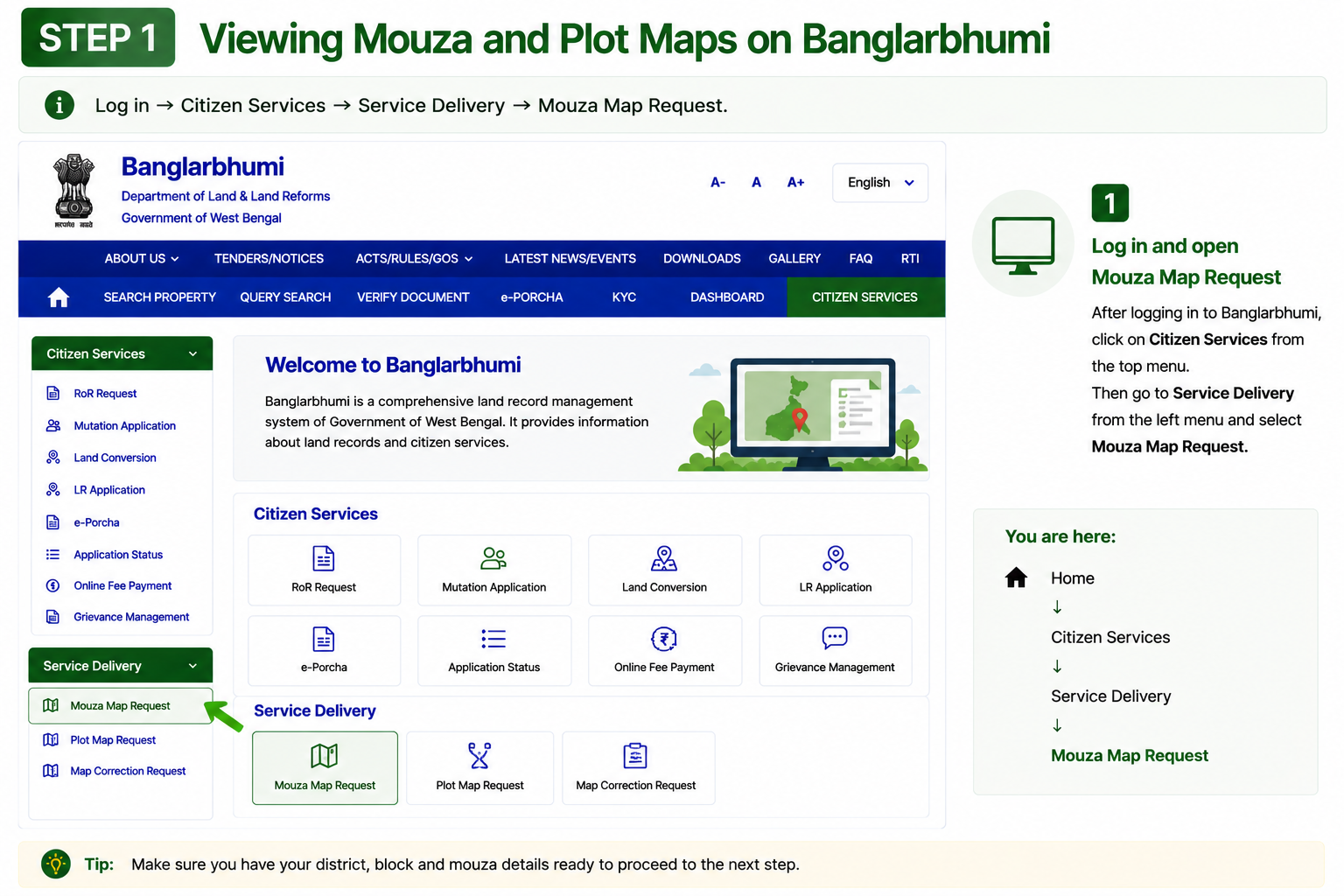
Open Mouza Map Request Service
Log in and go to Citizen Services → Service Delivery → Mouza Map Request.
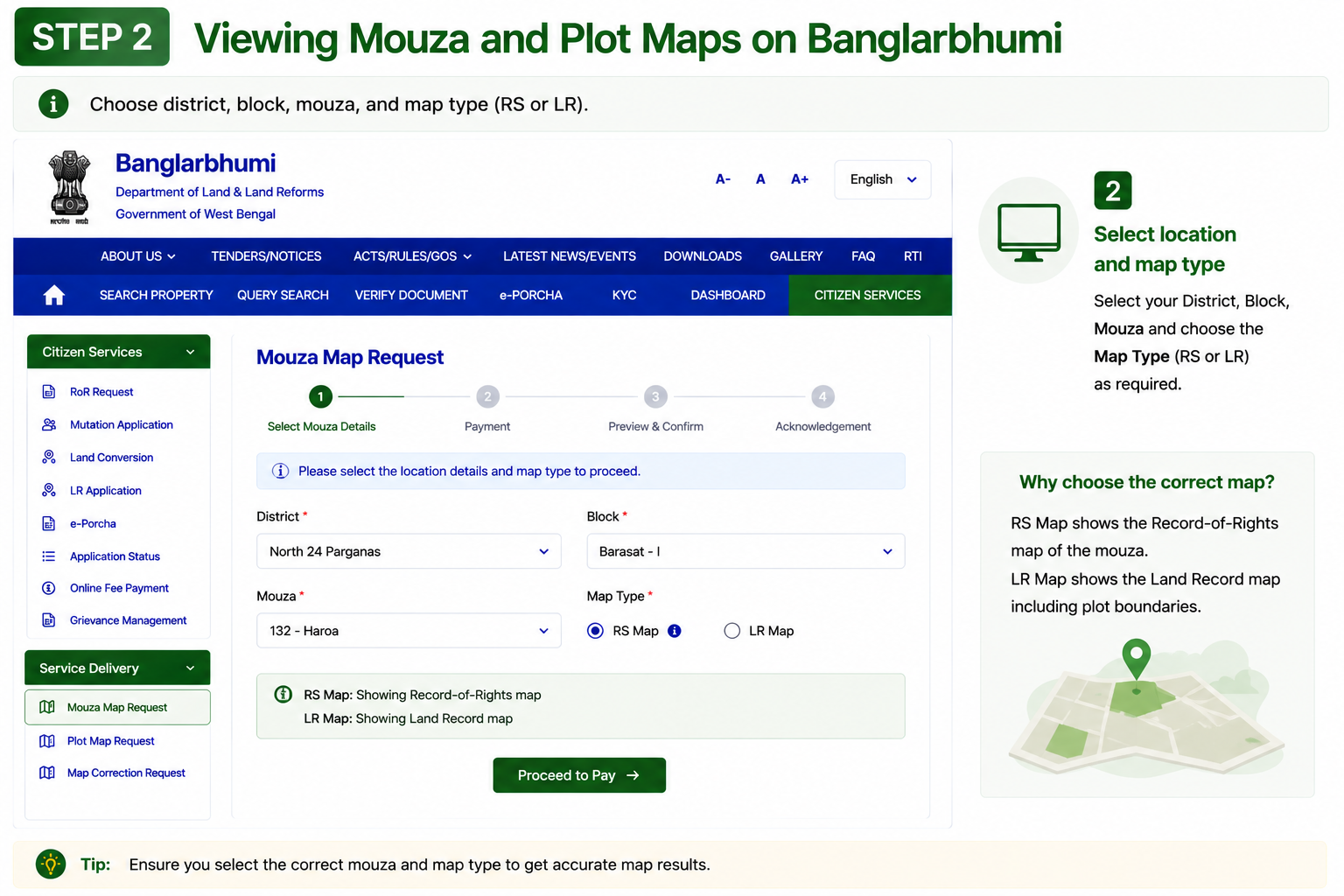
Select Location & Map Type
Choose district, block, mouza and select the required map type such as RS or LR.
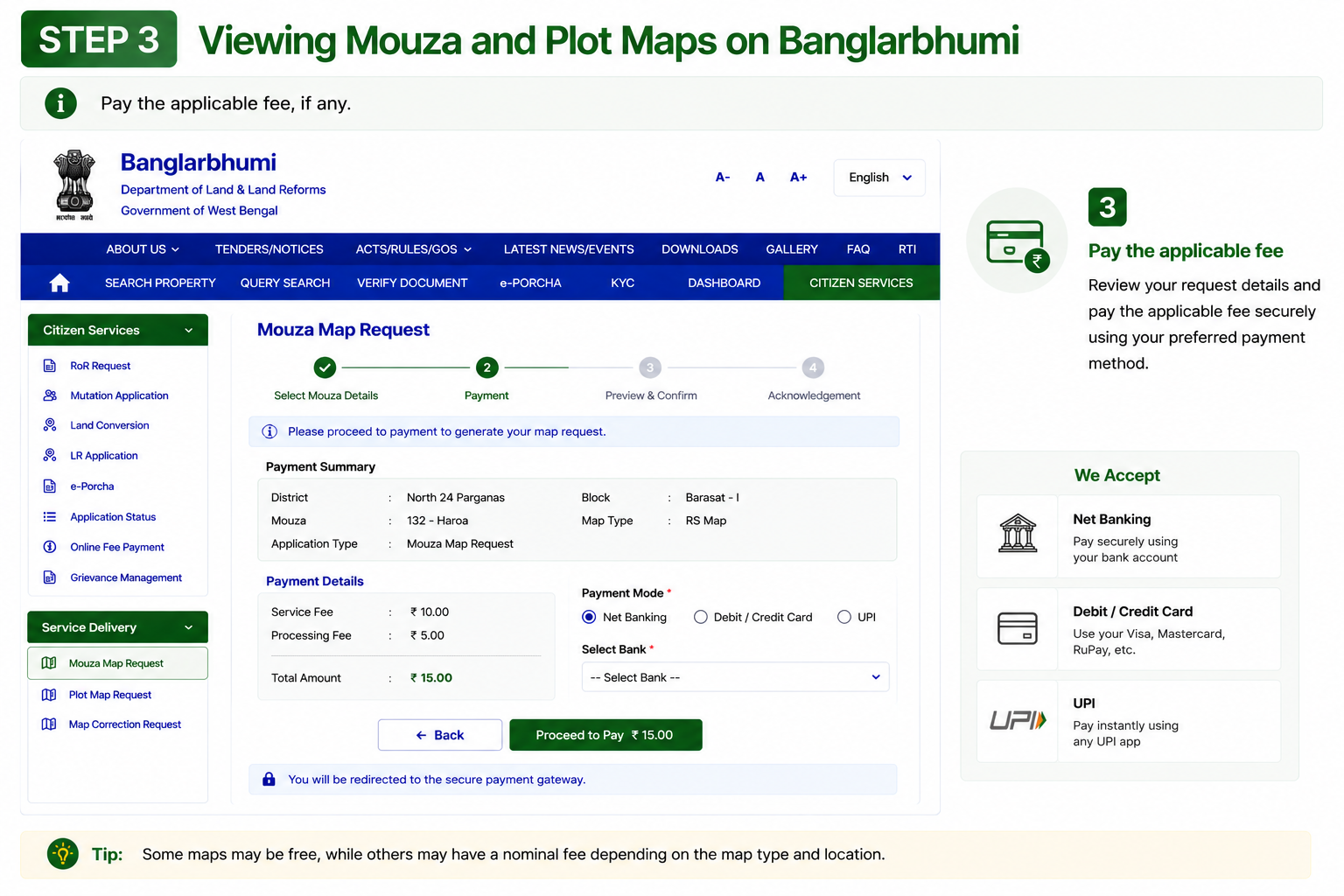
Pay Applicable Fees
Complete the required payment online, if any fee is applicable for the requested map.
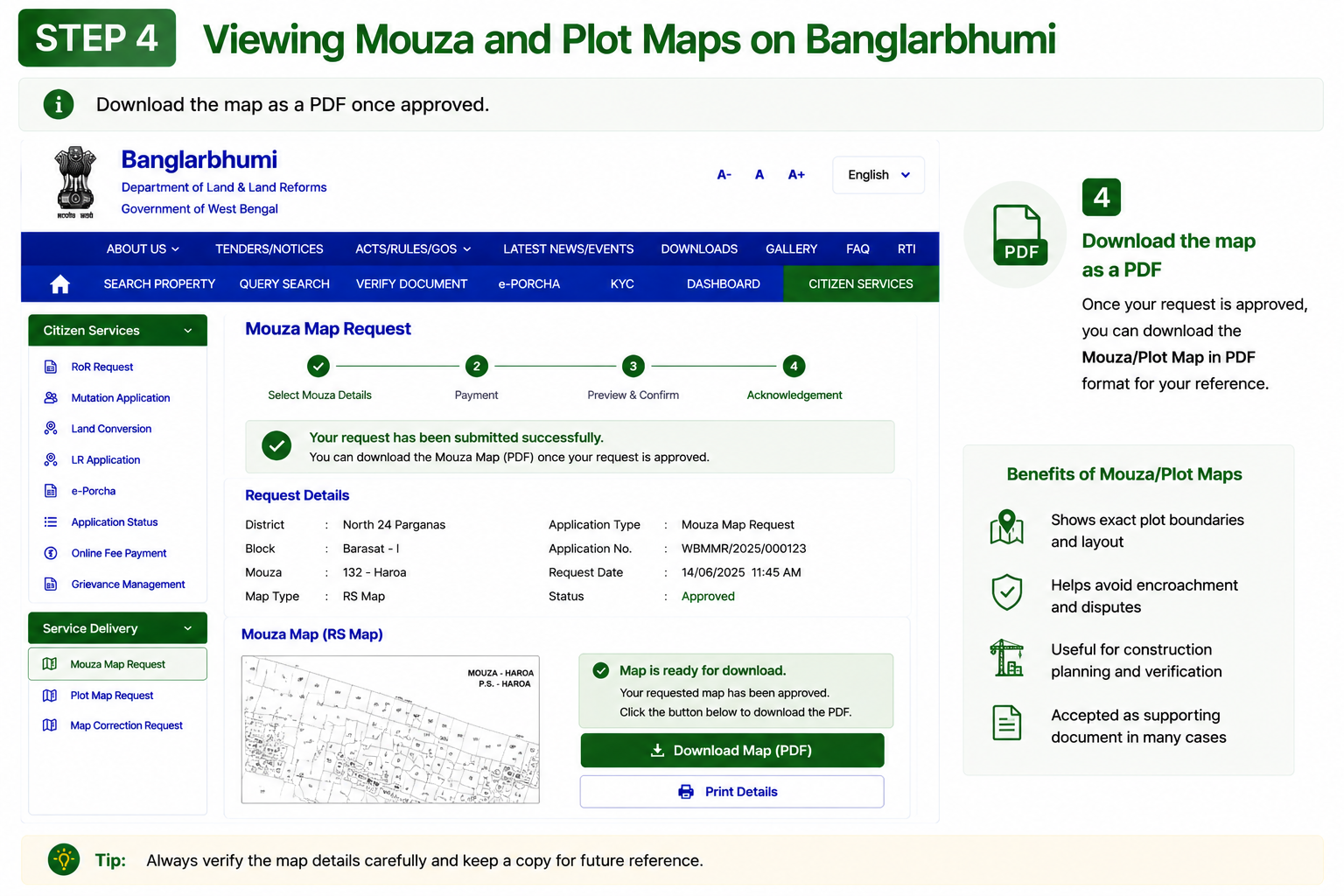
Download the Map PDF
Once approved, download the Mouza or Plot map as a PDF document directly from the portal.
Why Mouza & Plot Maps Matter
Filing a Grievance on Banglarbhumi
If a land record contains incorrect information or a mutation request is delayed without explanation, the Banglarbhumi Public Grievance section allows citizens to raise complaints directly online.
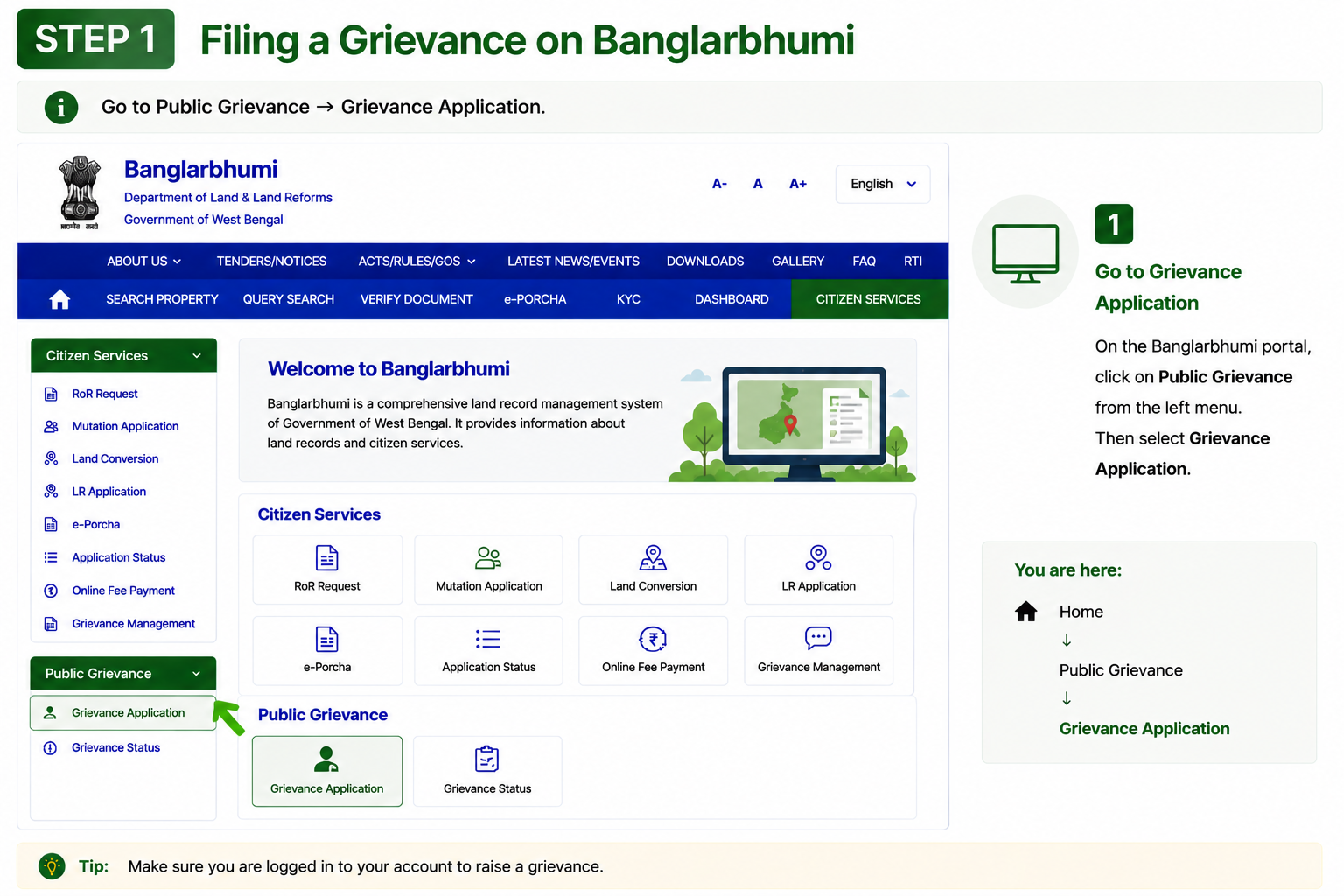
Open Grievance Application
Go to Public Grievance → Grievance Application from the Banglarbhumi portal menu.
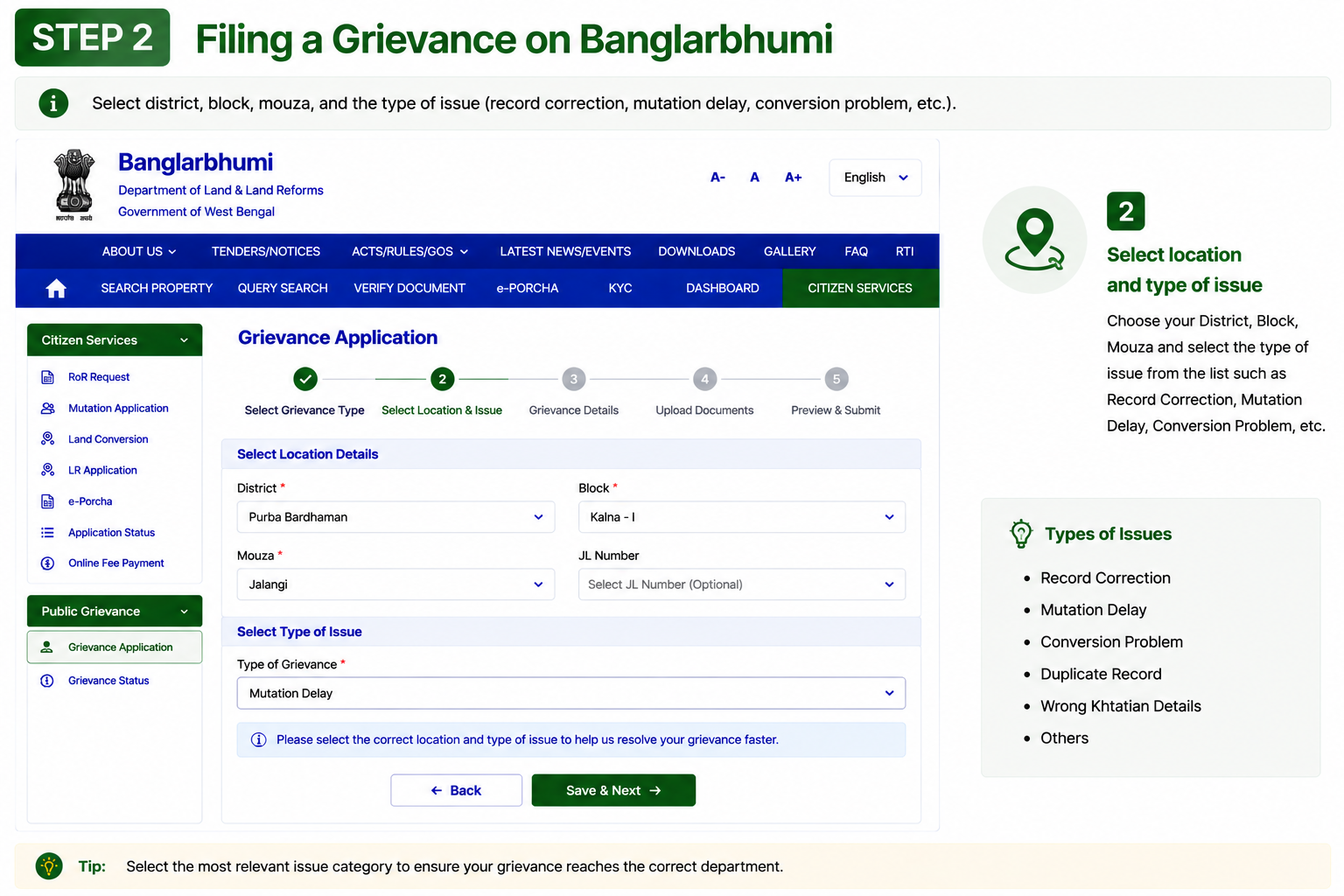
Select Location & Issue Type
Choose district, block, mouza and select the issue category such as mutation delay, record correction or land conversion problem.
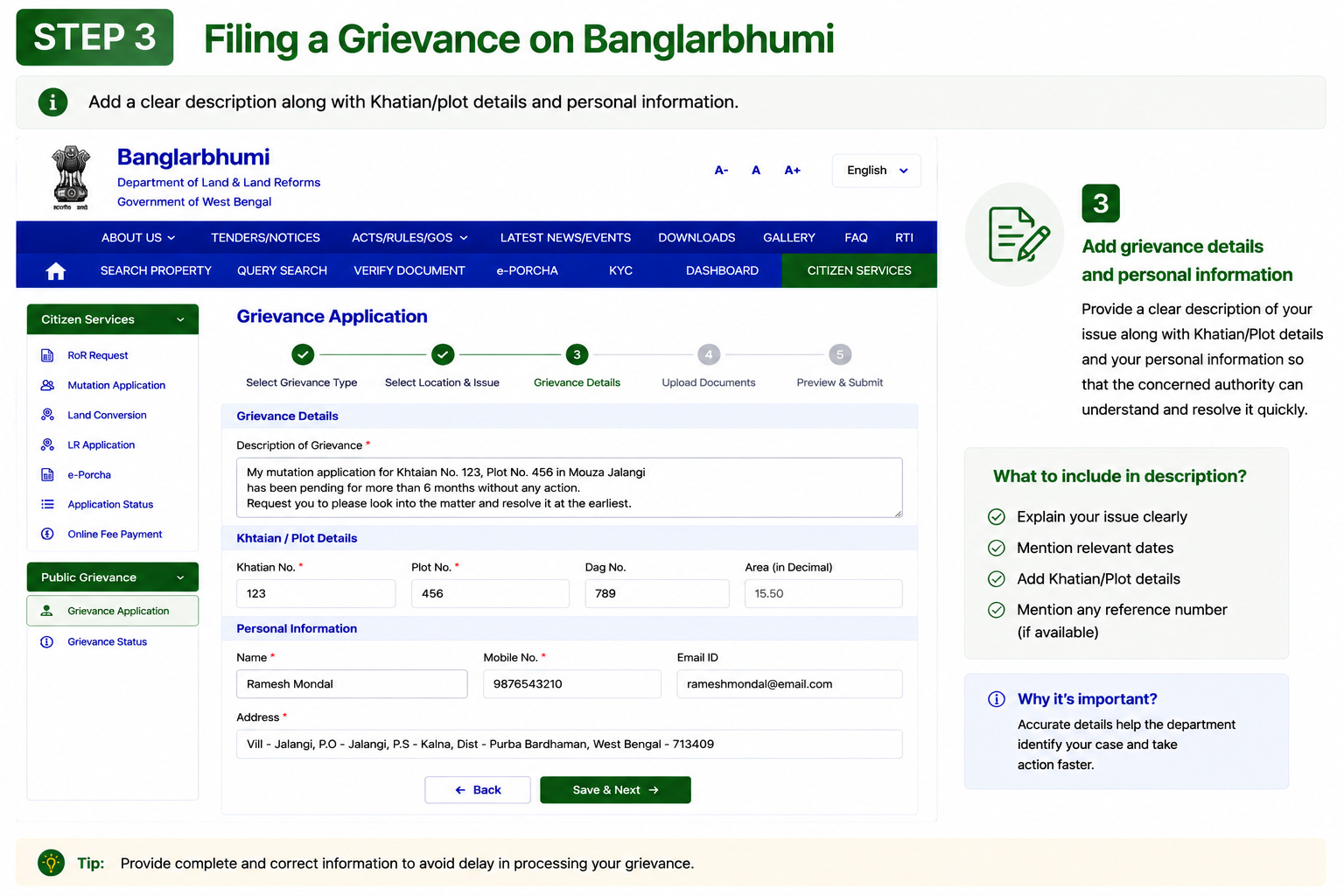
Add Complaint Details
Enter a clear description along with Khatian number, plot details and your personal information.
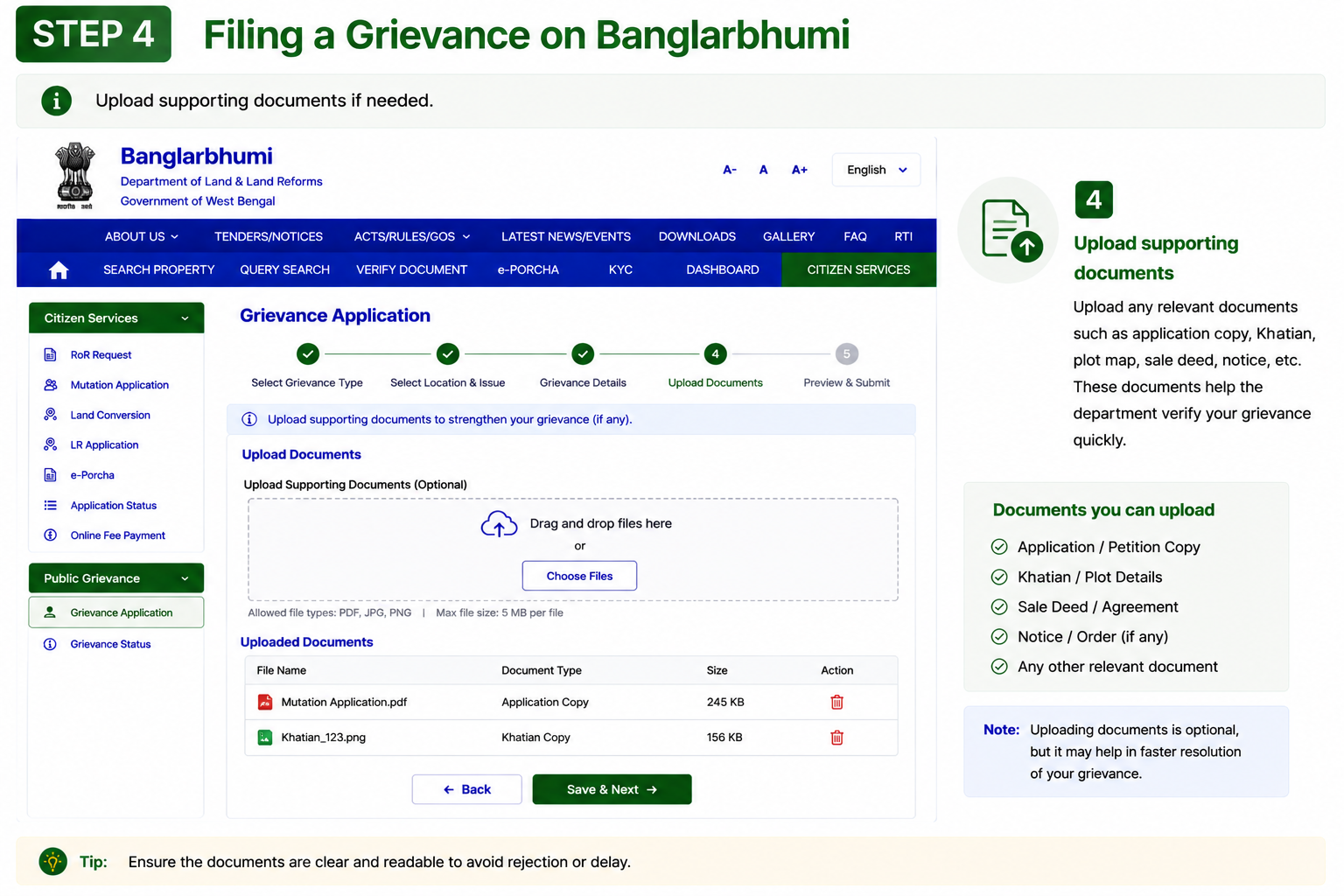
Upload Supporting Documents
Upload related documents such as land records, receipts, mutation papers or identity proof if needed.
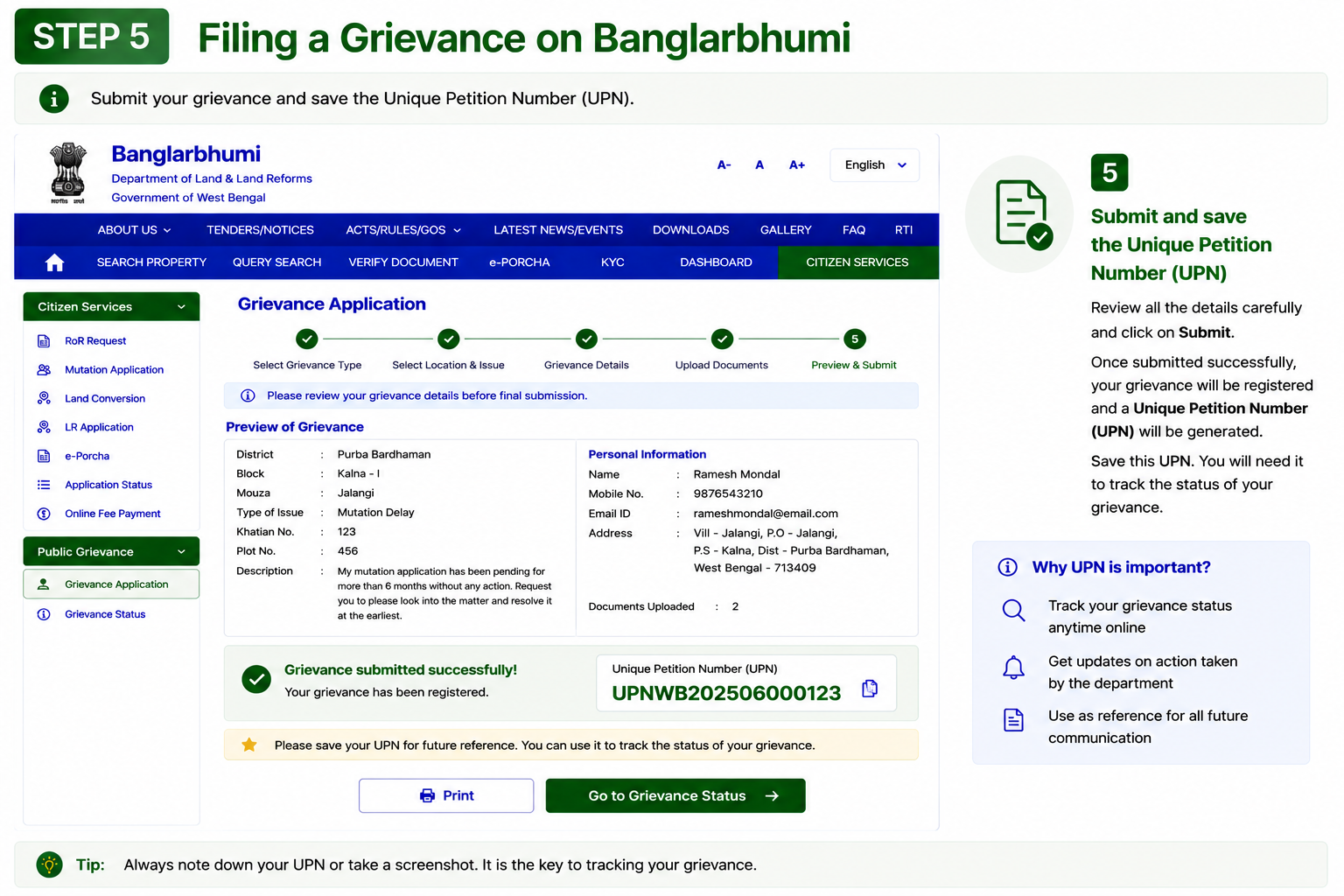
Submit & Save the UPN
Submit the grievance form and save the generated Unique Petition Number (UPN) for tracking the complaint status later.
Track Grievance Status Anytime
You can track complaint resolution progress anytime through Public Grievance → Grievance Status using your saved UPN number.
Common Problems Reported by Users